New AI Tools in Photoshop & Premiere Pro Edit Your Work Instantly
▼ Summary
– Adobe announced new generative AI tools for Photoshop, Premiere Pro, and Lightroom at its Max event, focusing on enhanced content control and automation.
– Photoshop now allows users to power Generative Fill with third-party AI models from Google and Black Forest Labs, offering varied results.
– An AI Assistant in private beta for Photoshop web can edit files using descriptive instructions, automating the use of Photoshop’s tools.
– Lightroom’s Assisted Culling beta feature helps photographers filter and recommend the best photos based on focus, angles, and sharpness.
– Adobe upgraded its Firefly AI model to version 5, improving resolution and realism, and introduced AI Object Mask in Premiere Pro for easier video editing.
Adobe’s annual Max event has unveiled a powerful suite of generative AI tools set to transform workflows within Photoshop, Premiere Pro, and Lightroom. These innovations are designed to give creators unprecedented control over their digital content, streamlining complex editing tasks that traditionally consume significant time. From more intelligent object manipulation to automated photo culling, the updates promise to accelerate creative production.
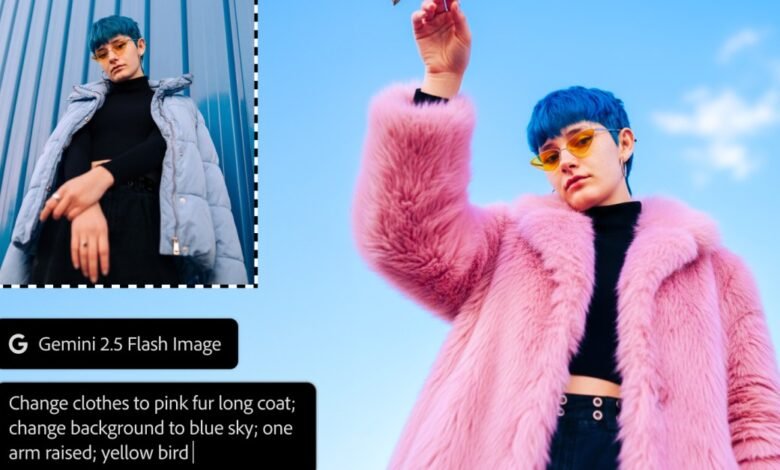
A major development allows Photoshop users to leverage third-party AI models for its Generative Fill feature. Now, when you select an area and input a text prompt, whether to add an object or replace an existing one, you can toggle between Google’s Gemini 2.5 Flash, Black Forest Labs’ Flux.1 Kontext, and Adobe’s own Firefly image model. This flexibility provides a broader spectrum of stylistic outcomes, ensuring you find the perfect generated element for your project.
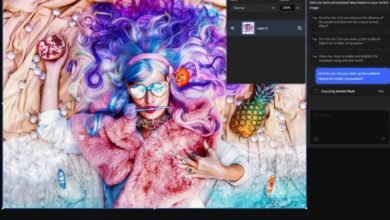
Simultaneously, a private beta is underway for an AI Assistant within Photoshop for web. This chatbot-style interface interprets descriptive commands like “increase the saturation” and automatically executes the corresponding edits. It effectively harnesses the full power of Photoshop’s toolset on your behalf. A similar functionality is entering public beta for Adobe Express, building on a capability first previewed earlier this year.
This intelligent assistant understands both general and highly specific instructions, even making adjustments to individual layers when directed. For photographers, Lightroom is introducing a beta feature called “Assisted Culling.” This tool intelligently sifts through large photo batches, analyzing focus, angles, and sharpness to recommend the best shots for further editing.
Underpinning these advancements is a significant upgrade to the core Firefly AI image model. The new Firefly Image 5 generates visuals at a native four-megapixel resolution, eliminating the need for upscaling. It has also been refined to produce more realistic human depictions. This enhanced model drives new prompt-based editing features and a forthcoming Layered Image Editing tool for Photoshop, which makes contextual adjustments like automatically correcting shadows when objects are repositioned.
For video professionals, Premiere Pro gains a powerful new capability with AI Object Mask, currently in public beta. This tool automatically detects and creates precise masks around people and objects within video frames. By removing the tedious requirement to manually trace subjects with a pen tool, it dramatically simplifies tasks like color grading, applying blurs, and adding visual effects to dynamic backgrounds.
(Source: The Verge)