Gemini Drops Google Maps & YouTube for Built-In Features
▼ Summary
– Gemini is removing explicit app extensions and now requires natural language prompts instead of using @mentions for services like YouTube and Google Maps.
– The functionality for finding videos, directions, flight information, and hotel bookings remains fully available when users describe what they want in their prompts.
– Connected apps now include communication tools, device controls, media services, learning platforms, and productivity applications like GitHub and Google Workspace.
– The “Saved info” page has been renamed to “Instructions for Gemini” for users not on Google AI Pro or Ultra plans.
– These changes are reflected in both the Gemini interface and the official Google Support documentation for connected apps.
Gemini is streamlining its user experience by integrating key services directly into its platform, eliminating the need for separate app extensions. This shift means users no longer have to manually activate tools like YouTube or Google Maps using the @ symbol. Instead, the assistant now seamlessly accesses these features when you describe what you need in everyday language.
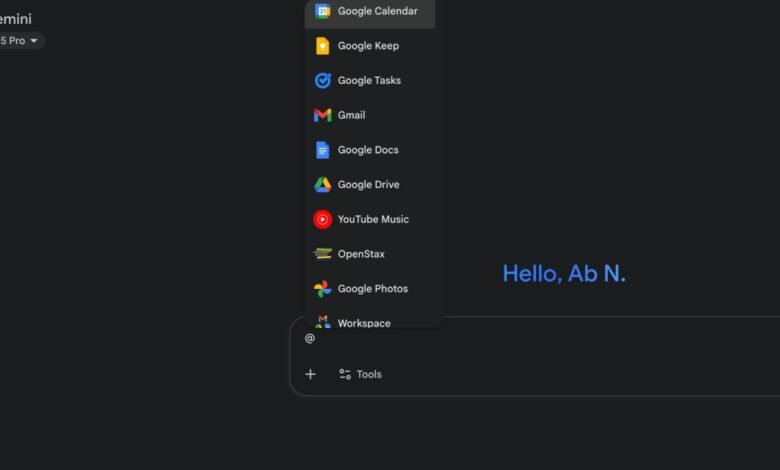
On the gemini.google.com interface, the section previously labeled “Apps” now appears as “Connected Apps.” A quick look at this menu shows several former extensions are missing. The prompt bar has also been updated, removing the option to tag specific services like @Google Flights or @Google Hotels. Despite these interface adjustments, all the original capabilities remain fully functional. The underlying goal seems to be encouraging a more natural, conversational way of interacting with the AI, where you don’t need to remember specific command syntax.
You can simply ask Gemini to locate a video and then inquire about its content. For example, requesting “Find videos of how to quickly get grape juice out of a wool rug” will pull relevant results from YouTube without any special commands.
When you need navigation assistance or local business information, just phrase your question normally. Asking “Where’s the closest coffee shop and what time does it open?” will provide details powered by Google Maps. You can also ask for walking times between landmarks, such as “How long does it take to walk from Buckingham Palace to Big Ben in London? What about from Big Ben to Trafalgar Square?”
For travel planning, directly ask Gemini to search for flights and accommodations. A prompt like “Find nonstop flights from San Francisco to anywhere” will generate options. You can request “Show me flights to Tokyo and give me ideas of things to do. How about Seoul too?” to get both travel logistics and activity suggestions. To find a place to stay, try “Find hotels for a 4-day trip to San Francisco for New Years Eve.”
These modifications are officially documented on Google’s support pages, which list the current roster of connected apps. The available categories include Communication tools like Phone, Messages, and WhatsApp; Device Control for Google Home and Utilities; Media services such as Google Photos, Spotify, and YouTube Music; Learning resources from OpenStax; and Productivity applications including GitHub, Google Workspace (Calendar, Docs, Drive, Gmail, Keep, Tasks), and various OEM Android apps from manufacturers like Samsung and OnePlus.
In a related update, users not subscribed to Google AI Pro or Ultra tiers will notice the “Saved info” page has been renamed to the more descriptive “Instructions for Gemini.” This change provides greater clarity on how to give the AI persistent context and guidelines for your interactions.
(Source: 9to5 Google)