Unlock These 8 Hidden Gemini Android Features
▼ Summary
– Gemini on Android can perform tasks in the background and offers numerous practical AI features beyond simple party tricks.
– Gemini Live can analyze real-world scenes through the camera to assist with tasks like assembling furniture or organizing clutter.
– It integrates with Gmail and Docs to summarize information, answer questions, and extract tasks from lengthy messages.
– The AI can analyze on-screen content, including videos and PDFs, and help with product research by comparing items and finding reviews.
– Gemini can rewrite message tones, generate images from rough sketches, and assist with complex on-screen processes via screen sharing.
Gemini has become a transformative force for Android, offering a suite of intelligent features that go far beyond simple voice commands. While Google continues to develop more autonomous capabilities, the current toolkit is already packed with powerful functions that can streamline daily tasks and boost productivity. Here are several standout features that demonstrate Gemini’s practical value.
One of the most impressive applications is using Gemini Live to organize physical spaces. By simply pointing your camera, the AI can assist with complex tasks like assembling furniture or optimizing Wi-Fi router placement. It acts like a knowledgeable assistant that can visually assess your situation and provide step-by-step guidance, turning daunting chores into manageable processes.
For those using Google Workspace or a premium Google One plan, deep integration with Gmail and Google Docs is a game-changer. In Gmail, it can quickly summarize lengthy email threads or retrieve specific details from past conversations. Within Docs, it uses the document’s content to answer questions and can even pull in relevant web information, eliminating the constant need to switch tabs for manual research.
Dealing with dense work messages becomes much easier. Instead of manually sifting through a long Slack or Teams message to find your assigned tasks, you can share the text with Gemini. It will not only pinpoint what you need to do but can also create a reminder in Google Tasks or Calendar directly from the extracted information, ensuring nothing slips through the cracks.
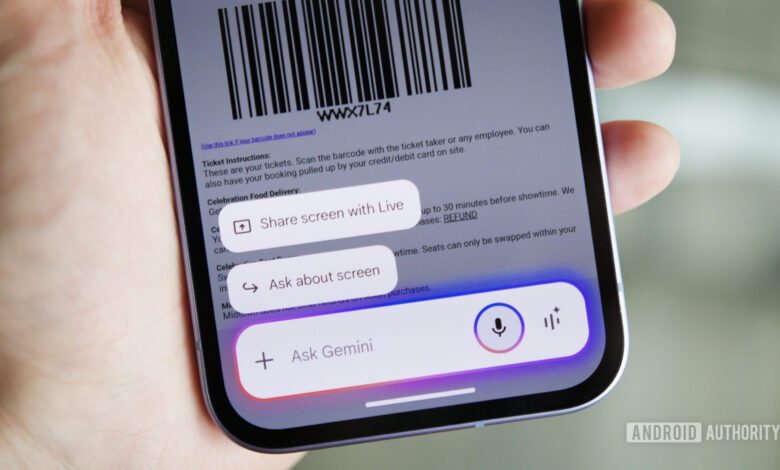
Gemini Live’s screen sharing feature extends its vision beyond the camera. This allows for real-time assistance with on-screen processes. Whether you’re navigating a complicated sign-up flow, trying to understand a privacy policy, or setting up a new software campaign, Gemini can see each step and provide contextual help without requiring you to constantly take and share screenshots.
Crafting the right tone in messages is another area where Gemini excels. If you’ve typed something that sounds too harsh or unclear, you can invoke Gemini to analyze the text on your screen. It will offer multiple rewritten alternatives with improved grammar and adjusted tone, allowing for quick corrections before you send. While the process could be more integrated, it’s a significant upgrade over manually copying text into a separate AI tool.
The AI’s analytical power isn’t limited to text. You can ask Gemini to analyze virtually any content on your screen. It can provide summaries of YouTube videos, complete with chapter timestamps, or extract key information from complex PDFs and web articles. This turns Gemini into a versatile research assistant that can digest and explain dense material in seconds.
Product research and shopping comparisons are also streamlined. Instead of opening countless browser tabs to compare products and read reviews, you can ask Gemini to analyze the item you’re viewing. It can compare it to competitors, find critical user feedback from forums like Reddit, and answer follow-up questions, all without leaving your current screen.
For a creative twist, try using Gemini’s image generation with a rough sketch. If you struggle with detailed text prompts, you can draw a basic outline in an app like Google Keep. Gemini can interpret your simple drawing and generate a polished, detailed image based on it. It’s a fun and intuitive way to bridge the gap between a simple idea and a visual creation.
The capabilities of Gemini on Android are extensive and continually expanding. From managing digital clutter to assisting with creative projects, these features integrate AI assistance into the fabric of everyday smartphone use, making complex tasks simpler and more efficient.
(Source: Android Authority)


