I Tested Google’s AI Auto-Browse in Chrome. It Was a Letdown.
▼ Summary
– The author experienced a sense of loss and preemptive nostalgia while testing Google’s new “Auto Browse” AI feature, which automates web browsing tasks.
– Google has released Auto Browse to US subscribers of its AI Pro and Ultra plans, pitching it as a step toward a fundamentally reformed, bot-centric web experience.
– The feature is designed to perform tasks like reserving tickets and shopping, but currently, the bots are described as too messy to be fully trusted.
– Accessing the tool required troubleshooting, such as logging out and refreshing, and it appears as an opt-in toggle in Chrome’s settings.
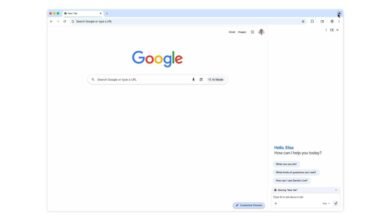
– When activated, Auto Browse automatically takes control to click and navigate in response to direct prompts sent through the Gemini sidebar.
Google’s new AI-powered Auto Browse feature in Chrome promises a hands-free web experience, but early testing reveals a clunky and unreliable tool that struggles with basic tasks. The concept of an automated agent handling online chores like booking tickets or shopping is undeniably appealing, yet the current execution feels more like a rough prototype than a revolutionary assistant. This initial rollout to US subscribers of the Gemini Advanced and Gemini Ultra plans highlights a significant gap between the ambitious vision and the practical reality users encounter.
During a recent hands-on session, accessing the feature proved to be an unexpected hurdle. After clicking the familiar sparkle icon to open the Gemini sidebar in Chrome, initial commands were met with confusion. The AI agent would describe its intended actions, claiming to open and close tabs, without actually performing any of them. It was a digital pantomime, not a functional tool. Only after logging out of the Google account and refreshing the browser did the proper activation pop-up appear, an immediate red flag for usability.
Once properly enabled through the settings toggle labeled “Let Chrome browse for you,” the feature’s limitations became even more apparent. The core promise is automation: you state a goal in the sidebar, and the AI takes control, clicking through websites on your behalf. In practice, however, the bot’s actions were slow, hesitant, and often incorrect. It frequently misinterpreted simple instructions, leading to a frustrating cycle of the AI opening irrelevant tabs, getting stuck on page elements, and failing to complete the most straightforward multi-step processes.
The experience evokes a peculiar sense of loss. There’s the immediate lack of control as you watch an algorithm clumsily navigate a webpage. More profoundly, it sparks a preemptive nostalgia for the current, human-driven web, flaws and all. Google’s long-term vision suggests a future internet shaped by and for these automated bots, a landscape that could feel alien. For that future to be palatable, the underlying technology needs to be seamless and trustworthy. Currently, Auto Browse feels too messy and unreliable to inspire that confidence.
While the advertised use cases, planning a vacation or reserving event tickets, sound convenient, the tool is not yet capable of handling such complex, real-world scenarios. It lacks the contextual understanding and dexterity needed to navigate dynamic web forms, compare options, or make nuanced decisions. The result is an assistant that requires more supervision and correction than simply performing the task manually, defeating its entire purpose.
For now, Auto Browse serves as a fascinating but flawed glimpse into a potential automated future. It underscores the immense technical challenge of replicating human browsing intuition. Subscribers expecting a polished, time-saving concierge will likely find it a significant letdown. The feature has a long way to go before it can reform how we interact with the web, and until it does, most users will probably prefer the satisfaction, and reliability, of clicking for themselves.
(Source: Wired)