2025’s Top Pixel App Updates & New Releases
▼ Summary
– Google expanded its portfolio of Pixel-exclusive apps in 2025, a trend aimed at differentiating its ecosystem, with availability extending to older devices.
– The new Journal app allows for text entries with multimedia and uses AI to suggest topics and provide insights based on user patterns.
– Pixel VIPs replaces the Contacts widget, offering quick access to recent communications and a feed of relevant details from a homescreen sheet.
– The Recorder app was significantly simplified with a redesigned interface and new features like “Create music” and NotebookLM integration for transcripts.
– Pixel Studio 2.0 introduced a comprehensive AI-powered image editor, while Weather received design updates, native widgets, and expanded to Pixel Watch.
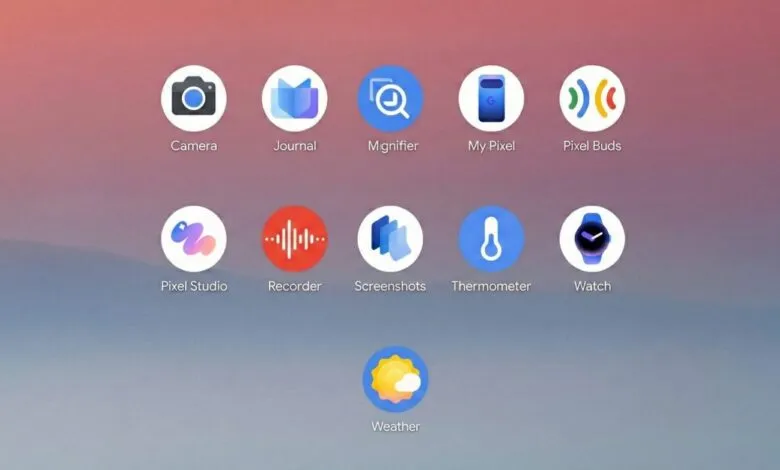
The year 2025 saw Google significantly expand its collection of exclusive Pixel apps, a strategic move designed to enhance the unique appeal of its hardware ecosystem. This expansion wasn’t confined to just the latest devices, with many new features and redesigns rolling out to older models as well, ensuring a broader user base could experience the updates.
Journal emerged as Google’s flagship new application for the year. Following Apple’s earlier introduction of a similar tool, this app provides a straightforward space for documenting daily life. Opening the app takes you directly to a clean screen for immediate text entry. Users can enrich their entries with photos, videos, data from Health Connect, and location tags. Leveraging AI, the app offers personalized writing prompts based on past journal entries and generates “Insights” that highlight personal patterns and progress over time in a dedicated tab. Visually, it embraces Material 3 Expressive design elements, though it retains a somewhat dated tall bottom navigation bar.
Pixel VIPs debuted as part of a Feature Drop in June. This feature effectively replaces the old Contacts widget. Tapping it opens an overlay on your home screen that displays your most recent messages and calls with a contact, along with a feed of other pertinent details. While useful, its launch timing felt disconnected, as it arguably would have made a stronger impact alongside a new flagship device release.
My Pixel represents a substantial evolution of the older Pixel Tips app, so significant it feels entirely new. It introduces a custom app icon that mirrors your specific device in a distinctive blue-purple color scheme, potentially setting a new visual standard for Pixel software. This hub consolidates device tips, customer support, and shopping options into one place, a user-friendly approach that beats navigating separate websites. The app strongly reinforces the concept of a cohesive Pixel device ecosystem. Its design also utilizes Material 3 Expressive, complete with the same prominent bottom bar.
Among the various app redesigns, Recorder received the most comprehensive overhaul in 2025. The clear objective was to simplify an interface that had become cluttered over years of feature additions. The homepage now sports a tall search bar, but the major revisions are on the playback screen. The previously busy top bar has been stripped down to just a favorites button and an overflow menu. Most actions have been relocated to a full-screen panel that uses Material 3 Expressive containers and displays recording details. This creates a cleaner playback interface, though it now requires opening the panel for many functions. The live recording screen received similar streamlining. For users who primarily just record and play back audio, the choice to prioritize the favorites button over a search shortcut on the main screen may be a point of frustration. Beyond the redesign, Recorder also introduced a “Create music” feature to explore creative uses and added integration with NotebookLM for uploading transcripts.
Pixel Studio graduated from its Preview phase with a major 2.0 update. The headline addition is a powerful AI-powered image editor that supersedes the basic Markup tool for screenshots. Alongside standard options like Crop and Draw, it includes a sticker creator, an object eraser, and prompt-based tools to add or replace elements within any picture. This new editor complements the app’s existing image generation capabilities, which were updated to use the more advanced Imagen 4 model.
The Weather application received Material 3 Expressive adjustments that increased the size of homepage cards, somewhat reducing information density at a glance. Users have generally adapted to this change over time. A more frustrating year-end update removed the edge-to-edge design where cards extended beneath the navigation bar. On a positive note, Pixel Weather finally gained native home screen widgets, a long-requested feature that hopefully paves the way for more customization. Other updates included preventing searched cities from automatically being saved and the introduction of a pollen tracker in the United States. Furthermore, a full Weather app with a 10-day forecast finally arrived on the Pixel Watch with Wear OS 6.
Several other core applications saw refinements. The Pixel Camera app had its button layout tweaked, with the main settings menu reorganized using new Material 3 Expressive containers. The Magnifier app gained highly useful real-time text search capabilities and, belatedly, added support for foldable phones. The Pixel Buds companion app was updated with a refreshed Equalizer interface. The screenshot tool received a “read aloud” function, design tweaks, and integration with NotebookLM for transcript analysis. The Pixel Thermometer app, however, saw no major updates or visual refresh, with Google reportedly surveying users about their engagement with the feature. The Pixel Watch app suite also received its share of Material 3 Expressive design updates.
(Source: 9to5 Google)