Google’s AI Mode Homepage Gets Model Switcher & Greeting

▼ Summary
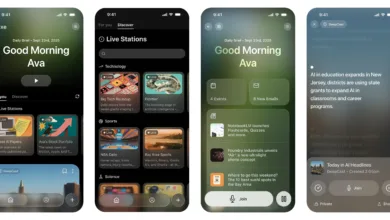
– Google has updated the desktop web interface for its AI Mode with a new personalized greeting and a model switcher.
– The new greeting features the user’s name with a gradient animation, similar to the prompt in the Gemini mobile app.
– Subscribers to Google AI Pro/Ultra now have a “Models” picker in the ‘plus’ menu, offering “Auto” and a slower “Thinking (3 Pro)” option.
– A new “Search” feature has been added to the history side panel to find recent conversation threads.
– These specific UI updates are currently only available on the desktop web version and not in the mobile apps.
Google is rolling out a fresh look for its AI Mode interface on desktop, introducing a more personal touch and enhanced control for users. The update replaces the generic “Meet AI Mode” welcome with a customized greeting that addresses you by name, complete with a colorful gradient animation as the page loads. This mirrors the approach seen in the Gemini app, aiming to create a more engaging and conversational starting point for your queries.
For subscribers to Google AI Pro or Ultra plans, the changes go even further. The ‘plus’ menu on the homepage has been expanded with a new “Models” selector. This tool lets you choose between an “Auto” setting, which adapts to your task, and a “Thinking (3 Pro)” option. The latter is marked with a stopwatch icon, signaling that it will take additional time to deliver responses optimized for complex reasoning and generative layouts. The familiar model picker in the top-left corner remains, providing clear descriptions for each mode.
Another useful addition is a search bar within the AI Mode history side panel. This feature allows you to quickly sift through your recent conversation threads to find specific information, making it much easier to revisit past interactions. It’s important to note that these new desktop features have not yet made their way to the mobile applications. While the iOS Google app has improved access to history via a prominent button, the Android version remains unchanged for now. These iterative updates reflect Google’s ongoing effort to refine its AI assistant, making it more intuitive and powerful for everyday use.
(Source: 9to5 Google)