10 Apps That Block YouTube Ads Completely
▼ Summary
– DuckDuckGo browser has a built-in YouTube ad blocker that uses community filters from uBlock Origin and is enabled by default on desktop and iOS.
– NewPipe is a free, open-source Android app that plays YouTube videos without ads and supports background playback and picture-in-picture.
– LibreTube is an Android-only, open-source YouTube client with a modern interface, SponsorBlock support, and chapter selection.
– On iPhone, AdGuard’s Safari extension can block YouTube ads when viewing YouTube in the browser.
– SmartTube is an Android-based smart TV app that replaces YouTube and blocks ads, but requires manual sideloading.
Tired of sitting through three unskippable ads before your video even starts? You are not alone. As YouTube continues ramping up ad frequency for free accounts, many users are seeking alternatives to the official app. While YouTube Premium remains the only official way to remove ads across all platforms including smart TVs, its price keeps climbing. At the time of writing, a standard subscription costs $15.99 per month, while a Family plan runs $26.99 monthly for up to six users who must all live at the same address. There is also YouTube Premium Lite at $7.99 per month, which removes ads from most non-music content. Some users try subscribing from countries like Argentina, India, or Turkey where rates dip below $2 per month using a VPN, though this is not a guaranteed workaround.
For those unwilling to pay, plenty of free third-party apps and tools deliver an ad-free experience on specific devices. Here are the most effective options available today.
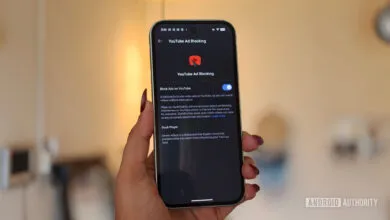
DuckDuckGo has evolved beyond a privacy-focused search engine into a full-fledged browser that blocks YouTube ads natively. It integrates community filters from uBlock Origin directly into the browser on desktop and mobile, eliminating the need for third-party extensions that Chrome may deprecate. On desktop and iOS, the ad blocker is enabled by default. Android users must manually turn it on by navigating to Settings > Ad Blocking in the latest version of the app.
NewPipe remains the gold standard for ad-free YouTube on Android. Unlike modded apps, this free, open-source player does not require a YouTube account or sign-in. It supports background playback, picture-in-picture mode, and blocks all ads. You cannot download it from the Play Store, but the APK is available directly from the NewPipe website or through the F-Droid app store, which specializes in free and open-source software.
SkyTube is another solid Android alternative, also free and open-source. It blocks ads and enables background playback, but it is strictly a view-only app with no YouTube account sign-in. This means no subscription syncing across devices. However, SkyTube Extra adds support for the official YouTube player and casting features while remaining free.
LibreTube offers a modern interface that sets it apart from other Android clients. With a bottom tab bar, updated icons, and smooth navigation, it feels polished. It supports SponsorBlock, which automatically skips sponsored segments within videos, and includes chapter selection. Like the others, it is a free, open-source client that does not require signing into YouTube.
If you prefer using YouTube in a browser, Firefox on Android supports extensions, unlike Chrome. Installing uBlock Origin from the Firefox add-ons menu will block all YouTube ads automatically. Just download the add-on, navigate to Menu > Add-ons, and enable it.
For a simpler solution, Brave Browser comes with a built-in ad blocker that works across Android, iPhone, and desktop. As long as the Shields Up feature is enabled for YouTube, ads disappear without any additional configuration.
iOS users face more restrictions, but AdGuard offers a workaround for Safari. After installing the AdGuard extension, go to YouTube.com, tap the Share button, and select Block YouTube Ads (by AdGuard). It is a straightforward way to remove ads while browsing on an iPhone.
Finally, for smart TVs and streaming devices, SmartTube (formerly SmartTubeNext) replaces the official YouTube app on Android-based televisions and streaming boxes. It requires manual sideloading, but once installed, it blocks all ads. Note that Amazon Fire TV devices sold after October 2025 are not supported.
For those who also want to skip sponsored segments within videos, SponsorBlock is invaluable. Available as a browser extension or embedded in apps like LibreTube, it uses crowdsourced data to automatically jump past sponsorship messages. If you cannot stomach another Squarespace ad, this tool is a must-have.
(Source: Lifehacker.com)