Gemini Nano’s AI Now on Galaxy: Here’s How It Works
▼ Summary
– Samsung’s Galaxy AI Now Brief feature update adds Nano Banana image creation, which is Google’s AI-powered image editing tool.
– The feature automatically selects random selfies or front-facing photos from your gallery and provides ready-made prompts for AI transformation.
– Users must enable the Nano Banana toggle in Now Brief’s settings after updating the Personal Data Intelligence app from the Galaxy Store.
– The Gemini app processes selected photos on Google’s servers, allowing immediate saving, copying, or sharing of the AI-generated results.
– For more precise control, users can manually select photos and input custom prompts directly in the Google Gemini app.
Samsung’s latest Galaxy update introduces a playful new way to interact with your photos through Nano Banana image creation, directly within the Now Brief feature. This integration brings Google’s compact yet capable image-editing artificial intelligence to your fingertips, allowing you to transform personal photos with simple text instructions. Whether you want to replace a background, alter the atmosphere, or creatively reimagine a scene, this tool handles the editing process for you.
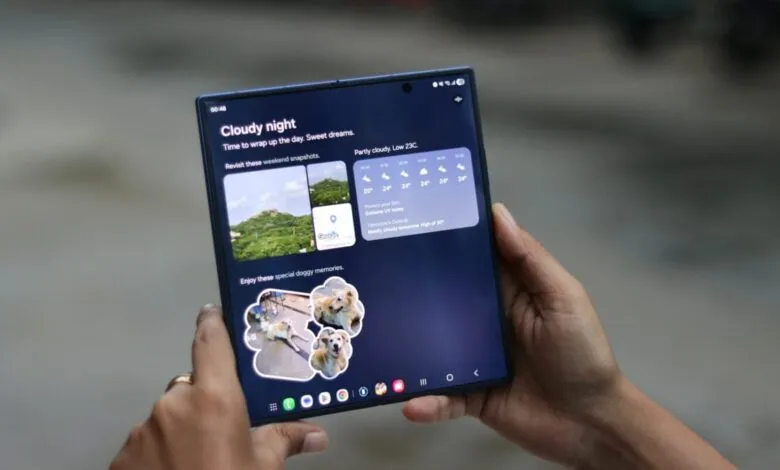
While Nano Banana already exists as part of the Google Gemini ecosystem and is accessible via the Gemini app on compatible Galaxy phones, Samsung’s newest enhancement embeds it more deeply into the user experience. The update to the Personal Data Intelligence app on devices supporting Now Brief adds a dedicated Nano Banana image-generation card. This feature automatically selects a random selfie or other front-camera photo from your gallery and presents several one-tap prompts to instantly generate an AI-modified version.
Engage in some lighthearted fun with your daily photos once the day winds down. After updating the Personal Data Intelligence app through the Galaxy Store, you will find a new toggle for Nano Banana image creation in the Now Brief settings under “Content to include.” Activating this setting allows your phone to choose a random image from your gallery each evening, coinciding with the time Now Brief compiles its daily Memories summary.
The selected image could be anything, a selfie, a picture of your pet, or another front-facing shot. Tapping on one of the suggested prompts opens the Gemini app, which immediately uploads the chosen photo to Google’s servers for processing. Once the AI completes its transformation, you can promptly save, copy, or share the newly created image directly from the app.
The outcomes can vary in quality, as AI image generation sometimes produces unexpected results. The primary goal of this feature is to offer a convenient and entertaining way to experiment with artificial intelligence using your own photos at the day’s end.
For users seeking more precise control over their edits, manually selecting and editing images through the Google Gemini app or using Galaxy AI Drawing Assist provides greater flexibility. Open Gemini by long-pressing the power button or selecting the app shortcut, then tap the “+” button to pick a photo from your gallery or capture a new one. Enter your custom instructions in the text field to direct the AI exactly how you want your image altered.
(Source: Sam Mobile)