Windows 11 Performance Boosting Update Now Rolling Out
▼ Summary
– A user named FR3D1 describes how to manually enable Microsoft’s “Low Latency Profile” features using ViVeTool, though they observed no performance difference on a powerful CPU.
– Commenters argue that Windows 11’s sluggishness is caused by OS bloat, not CPU speed, and that boosting CPU clocks does not address the core problem.
– User lexluthermiester demands Microsoft make features like AI, Secureboot, TPM, and telemetry fully optional, and stop showing ads and forcibly installing apps.
– Several commenters suggest that true performance improvements require reducing bloat and optimizing code, not relying on hardware tricks.
– User tabascosauz reports no performance complaints with Windows 11 IoT LTSC and expresses skepticism about the ViVeTool tweak.
Microsoft is now rolling out a Windows 11 performance boosting update that aims to make the operating system feel snappier, particularly when launching applications. The update leverages a Controlled Feature Rollout (CFR) method, meaning the update downloads first but only activates once the system determines it is ready. Enthusiasts can manually enable three key features using a tool like ViVeTool: `LowLatencyProfile` (ID 60716524), `LowLatencyProfileForApplicationLaunch` (ID 61391826), and `UxAccOptimization` (ID 48433719). To apply these, download and unzip ViVeTool, open Terminal as administrator (hold Ctrl+Shift while right-clicking inside the folder), type the command `.\vivetool /enable /id:60716524,61391826,48433719`, then restart your PC.
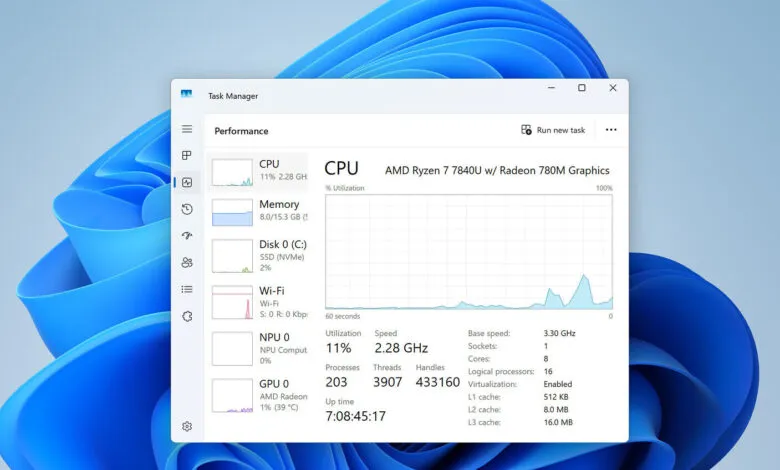
Early testing suggests the impact is minimal on high-end hardware. One user, FR3D1, tested the “Low Latency Profile” in a virtual machine and found no noticeable difference on a powerful CPU that barely breaks a sweat even launching Edge. However, the same user notes that on weaker CPUs, particularly those paired with slow HDDs and limited RAM (4-8 GB), this change could lead to a perceived improvement in application launch times. The reasoning is that underpowered systems often struggle with paging and disk thrashing, so any CPU clock boost might help mask those bottlenecks temporarily.
Not everyone is convinced this is a meaningful fix. Commenters like AGlezB argue that the CPU is rarely the true bottleneck; instead, cheap storage, insufficient RAM, and background bloat like Smart Screen, Edge ads, and Start Menu telemetry waste cycles. “If MS really wanted to make a difference,” they write, “they’d optimize the RAM footprint of all the optional crap they keep enabled by default.” Others, like TheinsanegamerN, point out that Linux flies on the same hardware, suggesting the core problem is OS bloat rather than CPU speed. GeoffreyA elaborates that delays come from managed-code components and React-based shell elements, not the kernel itself, and the real fix would be restoring Win32 versions of the shell code.
A vocal contingent, led by user lexluthermiester, demands far more than performance tweaks. Their wishlist includes making AI, SecureBoot, TPM, Microsoft accounts, BitLocker, and all telemetry completely optional, removing ads, stopping forced app installs, dropping hardware restrictions for CPUs with POPCNT, and ending OS activation. They argue that Windows 11 can run well on older hardware like Socket 1156 CPUs, and the artificial limits are just a ploy to drive hardware sales. “The very artificial limitations are not designed to make things more secure,” they claim, “but instead to motivate sales of hardware and software.”
Others remain skeptical of the update’s real-world value. Wirko jokes that context menus will now be “pre-loaded, pre-chewed by Copilot, and pre-rendered” for every hover, while another user notes that even with the boost, the Start Menu doesn’t feel any snappier. Some, like patriotpa, report a positive experience on high-end rigs, but the consensus among many is that surface-level clock boosting won’t fix the underlying bloat. As HLB puts it: “The gimmick of boosting CPU cores to accelerate bloated garbage code makes no difference.”
For now, the update is rolling out gradually. LTSC users report solid performance without the tweaks, suggesting that a leaner build may already offer what this patch promises. Whether Microsoft will address deeper complaints about bloat, telemetry, and forced features remains to be seen, but the community’s frustration is clear: performance patches are welcome, but they are no substitute for fundamental OS optimization.
(Source: Techpowerup.com)