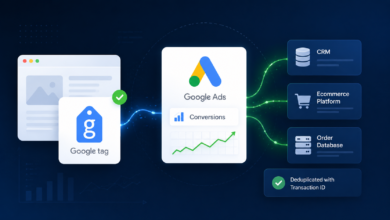
Optimize Google Ads with Acquisition & Retention Goals

▼ Summary
– Google Ads’ new customer acquisition goals now include high-value customer bidding and retention targeting, challenging the assumption that all new customers are equally valuable.
– High-value customer bidding uses customer match lists and predictive bidding to prioritize users with higher lifetime value, with an option to set a higher new customer value for more aggressive bidding.
– A new “original conversion value” column helps separate actual conversion value from the added value used for bidding, preventing artificial inflation of ROAS in reporting.
– Retention goals allow bidding for lapsed customers and high-value lapsed customers, currently limited to Performance Max campaigns, requiring segmented customer data for targeting.
– The effectiveness of lifecycle bidding depends on the quality of customer match lists, value definitions, and performance measurement; poor inputs can distort reporting and mask true campaign performance.
Google has rolled out expanded functionality for its new customer acquisition goals, now including high-value customer bidding and dedicated retention targeting capabilities. These updates aim to help advertisers refine how they prioritize different customer segments.
For years, most Google Ads strategies operated on a simple assumption: new customers are always more valuable than existing ones. That logic, however, quickly falls apart in practice. Not every first-time buyer is worth the cost to acquire, and not every past customer should be ignored. A single purchase does not guarantee lifetime loyalty, and some previous buyers are far more likely to convert again than a brand-new user with no history. This is precisely where Google’s high-value customer and retention bidding goals become critical tools.
How high-value customer bidding works in Google Ads
Google uses predictive bidding to identify who your high-value customers are, but the core signal comes directly from you: the customer match list you upload into your account. To start, navigate to the customer lifecycle optimization section under Goals > Summary, then select Edit goal.
Here, you set a higher new customer value so the system bids more aggressively for high-value prospects. Google typically suggests a value based on a higher lifetime value (LTV) than your average customer. Review this carefully and decide exactly how much more you are willing to bid for a high-value new customer.
Once configured, Google reports that added amount as part of your in-platform conversion value, stacking it on top of the actual sale or lead value. If you use a cost-per-conversion model, this discrepancy may not impact you much. However, for ROAS-based bidding, the extra value can artificially inflate your campaign’s reported ROAS.
To help separate real performance from bidding adjustments, Google recently introduced a new column called original conversion value (found under the conversions columns section). This lets you see the actual value apart from the additional bidding priority value. Still, if you rely on conversion value/cost as your primary metric, that figure will include the added value in its reporting.
Building and activating high-value customer audiences
To help Google identify these high-value individuals, you need to upload an audience list of high-value customers. Start by defining what qualifies: Was it a particularly high average order value? A lead for a premium service? Compile that list and upload it.
Your list must contain at least 1,000 active members for YouTube or Search networks to be eligible. Match rates typically fall between 29% and 62%, meaning you will likely need well over 1,000 records to get the list activated. The more data you include for each record in your first-party data, the higher your match rate. An email address is the baseline, but adding email, phone, and physical address significantly boosts your chances of matching to a signed-in user.
For a less manual approach, you can create and define audiences in Klaviyo and integrate them directly into your Google Ads account. Lists from Klaviyo generally have high match rates.
Once these settings are in place within the customer lifecycle optimization section, the next step is optimizing your campaigns. You cannot apply both bidding goals to the same campaign, and you should not use identical targeting or ad copy for different customer types.
Adjusting your bidding for high-value new customers is currently only available in Search and Performance Max campaigns. In campaign settings, expand the Customer acquisition section and select Adjust your bidding to help acquire new customers. From there, choose either Bid higher for new customers or Only bid for new customers. Both options use your value adjustments to differentiate between new and high-value customers. Your ad copy and targeting will determine whether you run a campaign focused solely on new customers or one that includes both new and returning audiences.
How to use retention goals to re-engage lapsed customers
To set bidding parameters for lapsed customers or customer retention, return to the customer lifecycle optimization section under Goals. Scroll past the new customer section to find lapsed customers and lapsed customers (high value) . These lists only populate if you have segmented customer data to support both. For lapsed high-value customers, Google asks for data on existing high-value customers, suggesting that predictive bidding to a lookalike audience may also be used here.
As before, Google will pre-populate a suggested value and may suggest lists. Review these carefully to ensure accuracy. The additional value you add to the incremental conversion value will appear in certain columns as conversion value attributed to the campaign using this bidding model.
Bidding to lapsed customers is currently only available in Performance Max campaigns, not yet in Search. In campaign settings, go to Customer retention and select Adjust your bidding to help re-engage lapsed customers. If you do not have a lapsed customer list defined, you will see a warning message.
Because this bidding is limited to Performance Max, lapsed customers may see ads across Search, Shopping, Display, YouTube, Discover, Gmail, and Maps, depending on the assets you use and whether a feed is included. If you run a campaign specifically bidding higher to target lapsed customers, ensure your ad copy and messaging are tailored to that audience.
Lifecycle bidding only works if your strategy does
Lifecycle bidding only delivers results if your inputs are sound. The quality of your customer match lists, how you define value, and how you measure performance determine whether these goals improve outcomes or simply make them look better on paper. Used correctly, they help prioritize the customers that matter most and re-engage those worth winning back. Used loosely, they can just as easily distort your reporting and mask what is truly driving performance.
(Source: Search Engine Land)