How to Share Files Between Android and Mac
▼ Summary
– Nothing’s new Warp app is a cross-platform tool for sending files and text between Android phones and computers using Chrome-based browsers.
– It works by uploading files to a server (via Google Drive) and sending a download prompt, rather than transferring directly between devices.
– The app is compatible with any Android phone and computers running macOS, Windows, or Linux, and supports multiple devices.
– It is best for small files like text and images, as transferring large files like videos can be slow due to the server-based method.
– Warp is currently free in beta, uses your Google Drive storage without cluttering it, and only retains the 10 most recent uploaded files.
For professionals and enthusiasts navigating the mixed ecosystem of Android and macOS, transferring files can be a persistent headache. While some newer Pixel and Samsung phones offer direct AirDrop compatibility, the majority of Android users have lacked a seamless solution. Nothing’s new Warp app aims to bridge this gap, providing a surprisingly effective method for sharing files and text across the platform divide.
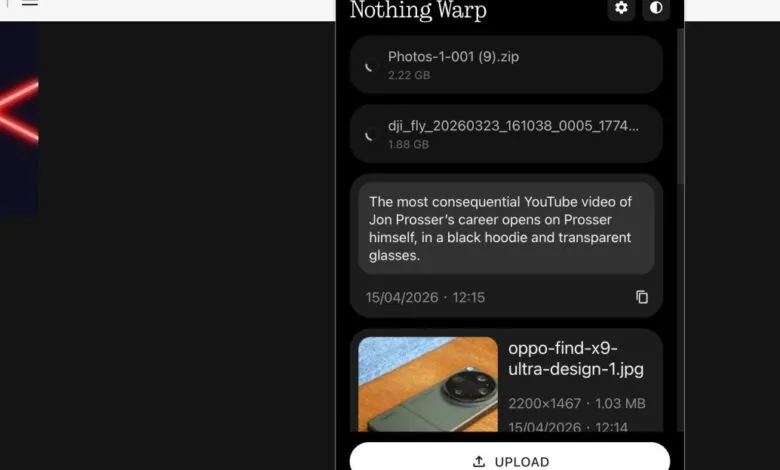
The system operates through a combination of an Android app and a browser extension. This design requires a Chrome-based browser on your computer, but it grants broad compatibility with macOS, Windows, and Linux, making it a more universal tool than Apple’s proprietary system. On your phone, the Warp option appears in the standard Quick Share menu whenever you go to send a file, supporting images, videos, documents, links, and plain text. On the desktop side, you can send highlighted browser text directly to your phone’s clipboard, right-click web images to transfer them, or upload files directly from your computer. A minor limitation exists with web apps like Google Docs, which override the browser’s right-click menu and thus block Warp’s functionality.
After testing, the app’s performance is impressive for its intended use. It supports multiple devices, allowing transfers between several phones or computers, and the receiving device doesn’t need to be active when you start the transfer. This convenience stems from its underlying mechanism: Warp doesn’t facilitate a direct peer-to-peer connection. Instead, it uploads files to a server and sends a download prompt to the target device. This makes it swift and simple for small items like text snippets or web images, which transfer almost instantly. However, it’s less ideal for large file transfers. A 2GB video file took over ten minutes to upload in testing, with the additional download time still required on the other end.
Privacy and security are handled credibly. Nothing states that files are transferred using Google Drive’s infrastructure, meaning the company isn’t storing or accessing user data directly. Linking a Google account is required, but shared Warp files don’t clutter your personal Drive folder. According to Nothing’s senior global PR manager, Lewis Hopkins, there are no artificial file size limits beyond your available Google Drive storage. The system is designed to be storage-neutral, as it only retains the latest 10 files, automatically deleting the oldest when a new one is uploaded.
Currently in free beta, Warp presents a more universally accessible solution than the limited built-in options from Google or other manufacturers. Its greatest endorsement may be its practicality; it’s a tool useful enough to keep installed for daily, lightweight transfers. For those needing to move substantial video files or other large data directly between devices, however, the search for a perfect, high-speed solution continues.
(Source: The Verge)