Google Drive Adds Local File Backup for Android
▼ Summary
– Google Play services is introducing a new local file backup feature for Android, which will automatically save downloaded documents to Google Drive.
– This feature specifically targets the device’s “Download” folder, differing from the existing Android backup for apps, settings, and messages.
– The exact implementation is unclear, but it could involve uploading files to a device-specific Drive folder or syncing a single folder across devices.
– The feature is listed in version 26.06 of Google Play services and will roll out gradually to phones and tablets.
– It addresses the common issue of users having only one local copy of important downloaded files, like PDFs, by providing automated cloud backup.
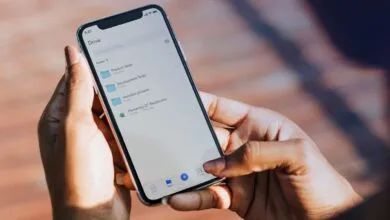
A new update to Google Play services is bringing a highly anticipated feature to Android devices: local file backup directly through Google Drive. This functionality promises to automatically safeguard files stored in your phone’s “Download” folder by uploading them to your cloud storage, providing an extra layer of protection against data loss and making those documents accessible from any device where you’re signed into your Google account.
The feature, described in the release notes as a “new local file backup feature,” appears designed to operate seamlessly in the background. It specifically targets your downloaded documents, ensuring items like important PDFs, spreadsheets, or presentation files are not left vulnerable if your phone is lost, damaged, or replaced. This mirrors the functionality long offered by the Google Drive for desktop application on Windows and Mac computers, finally extending that convenience to the mobile ecosystem.
It is crucial to distinguish this from Android’s existing backup system. The current service uses your Google Drive storage quota to back up app data, call history, contacts, device settings, and text messages. The new feature is separate, focusing exclusively on user files saved locally in the Downloads directory. This provides a more comprehensive backup solution for your entire digital footprint on the device.
While precise implementation details are still forthcoming, the rollout is tied to Google Play services version 26.06 under the “Utilities” category. The simplest method would involve uploading every file from the phone’s Download folder to a corresponding, device-specific folder within Drive. This would allow users to browse and retrieve files via drive.google.com or the mobile apps. A more sophisticated approach could involve syncing a single Download folder across multiple Android phones and tablets, though the initial description suggests a per-device backup structure.
This addition addresses a common pitfall in personal data management. Many people download critical documents, such as tax forms, boarding passes, or receipts, directly to their primary device without a second thought for creating backups. These files often exist as a single, fragile copy. While photos and videos frequently benefit from automatic uploads to services like Google Photos, other document types have historically required manual intervention to secure. This automated local file backup closes that gap effectively.
As with most features announced in these service updates, a widespread rollout will take some time. Users should keep an eye on their Google Play services updates and Google Drive app settings for the new option to appear. When it does, it will offer a straightforward way to ensure that valuable files downloaded on an Android device are never more than a click away, securely stored in the cloud.
(Source: 9to5Google)