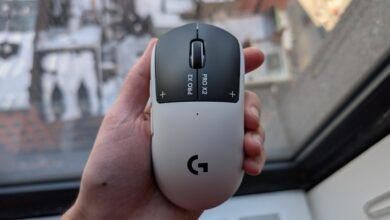
Logitech G Pro X2 Superstrike Review: Is It Worth It?
▼ Summary
– The Logitech G Pro X2 Superstrike mouse introduces a novel Haptic Inductive Trigger System (HITS), which replaces traditional mechanical switches with inductive sensing and haptic feedback for the click sensation.
– This technology allows for adjustable actuation force and rapid trigger functionality, aiming to reduce click latency and provide a competitive advantage in fast-paced games.
– The reviewer found the mouse’s click response exceptionally fast and satisfying, preferring it to traditional clicks, though noted its performance benefits are most relevant for competitive FPS, MOBA, or RTS games.
– The mouse retains the popular shape and build of the Superlight series but is slightly heavier due to the new technology, and its settings require the Logitech G Hub software to remain running.
– While representing a significant and exciting technological advance, the reviewer concludes the mouse is a premium, bleeding-edge product with a high price point, and its value depends on prioritizing click speed over ultimate weight reduction.
For competitive gamers seeking every possible edge, the Logitech G Pro X2 Superstrike represents a fascinating evolution in peripheral technology. Its core innovation isn’t a lighter weight or a new sensor, but a fundamental rethinking of how a mouse button registers a click. This isn’t an incremental update; it feels like a meaningful step forward for anyone whose performance hinges on split-second reactions.
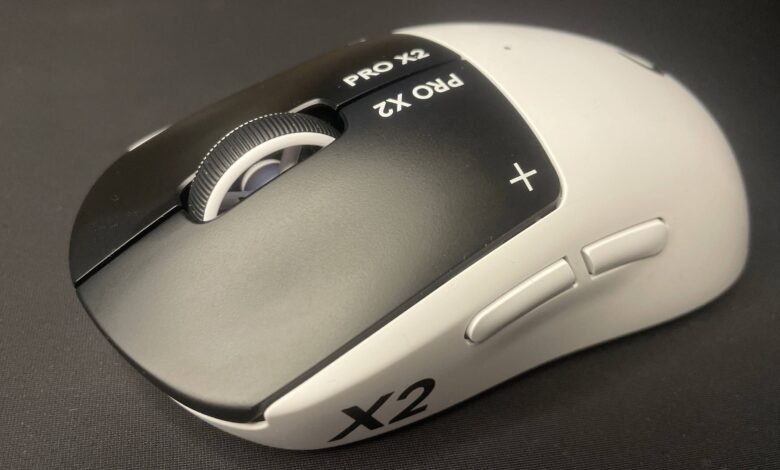
The excitement around this mouse is palpable, reminiscent of the buzz when the original G Pro X Superlight redefined lightweight design. At first glance, the Superstrike looks nearly identical to its predecessor. The revolutionary change lies entirely within its switches. Logitech has replaced traditional mechanical or optical switches with its Haptic Inductive Trigger System (HITS). Think of it as bringing the adjustable, analog-like benefits of Hall effect technology, common in high-end keyboards, to a gaming mouse for the very first time.
What does this mean for you? It grants an unprecedented level of control over your primary mouse clicks. Through the Logitech G Hub software, you can adjust the actuation point of the left and right buttons across ten different levels within the 0.65mm of travel. The most significant advantage is the ability to set an extremely light actuation force. On the lowest settings, the click registers with barely a touch, dramatically cutting down the physical distance your finger must move. You can also enable a rapid trigger mode, which lets you click again the moment you start lifting your finger, bypassing the need to fully release the button.
The practical result is a tangible reduction in click latency, the time between your intention to fire and the game registering the command. After extensive testing in titles like Counter-Strike 2, the difference is immediately felt. The click response is phenomenally snappy. Many pro testers, and I followed suit, immediately set the actuation to the lowest level and never looked back. It creates a sensation where shooting feels almost instantaneous, as if the mouse is a more direct extension of your intent. The haptic feedback, which replaces the physical snap of a traditional switch, is expertly tuned to feel convincing and tactile, not like a cheap buzz. It’s also notably quieter than standard mouse clicks.
However, it’s crucial to maintain perspective. This technology optimizes only one part of the aiming process. While it can shave precious milliseconds off your click latency, it doesn’t help you spot enemies faster, flick more accurately, or make better decisions. Logitech’s data suggests it narrows the click-speed gap between pros and amateurs, but your overall skill remains the dominant factor. In my testing, it didn’t magically boost my AimLab scores, but the potential for improvement is undeniably there as one adapts to the new feel.
The mouse excels beyond FPS titles. In click-intensive games like MOBAs or RTSs, the light, rapid actuation makes unit management and actions feel fluid and responsive. It’s less beneficial in casual games or tracking-heavy scenarios where you hold down the button, but it never gets in the way.
As for the rest of the package, the Superstrike is essentially a Superlight 2 with new internals. That’s a very good foundation. The iconic, versatile shape accommodates claw, palm, and relaxed claw grips comfortably. The build quality is superb, with a premium, slightly chalky texture. It includes grip tape for those who need it, and the side buttons and scroll wheel are perfectly serviceable. The included UHMWPE skates favor durability and glass pads over pure speed on cloth, so some may opt for aftermarket PTFE replacements.
The weight is a point of discussion. At 59-61 grams, it’s not class-leading in today’s market of sub-40g mice. The heft is understandable given the new haptic motors and inductive components, and the battery life remains an excellent 90 hours. The reliable Hero 2 sensor performs flawlessly.
The most notable drawback involves the software. Logitech G Hub does not save settings to the mouse’s onboard memory. Your customized actuation, haptic strength, and rapid trigger settings will revert if the software isn’t running in the background. In an era where cloud and onboard profiles are standard, this feels like a significant oversight for a premium product.
So, is it worth the investment? If you are deeply invested in competitive FPS, RTS, or MOBA games and are chasing every performance advantage, the Pro X2 Superstrike offers a genuinely novel and effective tool. The tactile improvement and latency reduction are real. If you primarily use a fingertip grip or play casual, non-twitchy games, a different shape or a simpler, lighter mouse may be a better fit. This is bleeding-edge tech with a premium price, but for those it targets, the difference in feel is not just marketing, it’s a tangible upgrade that makes other mice feel noticeably slower.
(Source: PC Gamer)