Acuity Scheduling Review: Is It Right for Your Business in 2026?
▼ Summary
– The final step in setting up an Acuity scheduling page is customizing its design, including text, fonts, and color palettes.
– Acuity offers four subscription plans: Starter ($20/month), Standard ($34/month), Premium ($61/month), and a custom Enterprise option.
– Higher-tier plans add features like multiple calendars, text reminders, automated billing, HIPAA compliance, and custom API/CSS.
– All plans provide a 20% discount for annual payments, and a promo code offers an additional 20% off new business subscriptions.
– User testing found the booking process easy for clients, with real-time notifications, though personalizing the design with photos improved the experience.
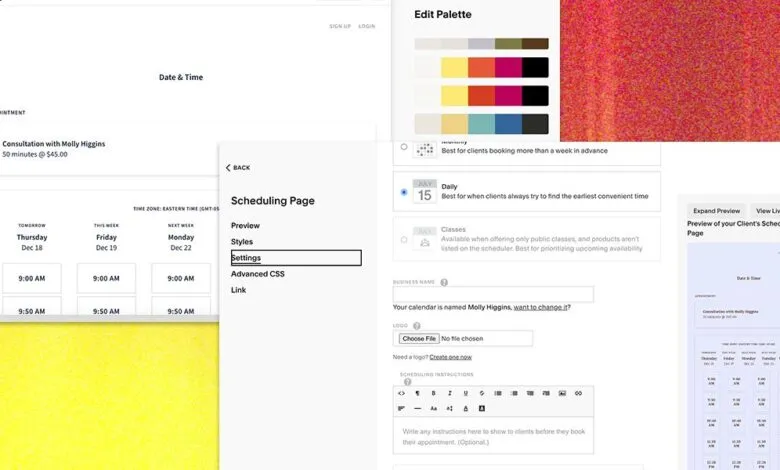
After finalizing your appointment types and calendar availability, the final step involves customizing the design of your scheduling page. The platform provides a straightforward, guided setup that clearly indicates your progress toward a complete page. While the design comes with pre-filled text, you have full control to change the wording and adjust the visual elements. You can select from numerous professionally designed color presets or create a custom palette by choosing a specific color or uploading an image. For my own small business, I opted for a more distinctive and mystical theme, finding the array of premade options both extensive and well-crafted to support a unique brand identity.
When your initial trial period concludes, you will select from Acuity Scheduling’s four primary subscription plans. The Starter plan begins at $20 monthly, offering essential tools like client self-scheduling, unlimited appointments and services, a single bookable calendar, and integrated payments via Stripe, Square, or PayPal. It also handles client email notifications and automatic time zone adjustments. The next tier is the Standard plan at $34 per month. This expands functionality to include up to six calendars, SMS reminders, the ability to sell bundled packages or memberships with automated billing, and gift certificate processing. For larger operations or those needing advanced control, the Premium plan costs $61 monthly. It encompasses all previous features while removing the “Powered by Acuity” branding, providing a BAA for HIPAA compliance, supporting up to 36 calendars and multiple time zones, and offering custom API and CSS access for developers. An Enterprise option is also available for custom solutions, requiring direct contact for pricing. All plans offer a 20 percent discount for annual billing, and using the promo code WIRED20 provides an additional 20 percent off new business subscriptions.
Prior to a full public launch, I conducted a soft opening with friends and colleagues to gather feedback on the client booking experience. The response was overwhelmingly positive; users found my website visually appealing and reported that the process of booking, canceling, or rescheduling appointments was intuitive and seamless, requiring no intervention on my part. I received real-time email notifications for all client actions, and they automatically got confirmations and reminders. Any minor critiques related purely to my own design choices, not the platform’s limitations. This feedback highlighted the value of personalization, prompting me to enhance the page with my photograph and relevant service images to create a more engaging and trustworthy client experience.
(Source: Wired)