Automate Stream Deck Buttons with AI
▼ Summary
– Elgato’s Stream Deck 7.4 software update adds Model Context Protocol (MCP) support, letting AI assistants like ChatGPT trigger Stream Deck actions.
– This allows users to control their Stream Deck through typed or spoken requests to an AI, instead of manually pressing buttons.
– The feature works by having AI tools read description fields of actions placed within a dedicated “MCP Actions” profile in the app.
– Enabling it requires updating the app, checking a setting in Preferences, and installing an additional Node.js tool and server bridge.
– While the setup process is technical, Elgato provides a step-by-step installation guide for users.
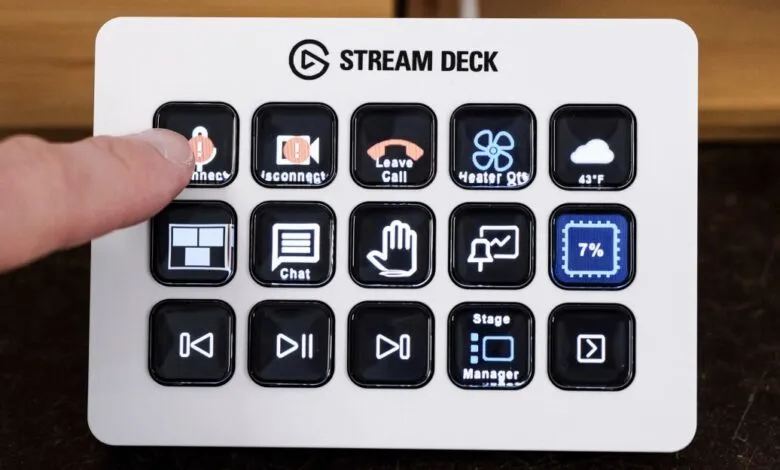
For users seeking a more intuitive way to interact with their Stream Deck, the latest software update introduces a significant shift toward voice and text-based automation. Elgato’s Stream Deck 7.4 release now integrates Model Context Protocol (MCP) support, enabling popular AI assistants such as Claude, ChatGPT, and Nvidia G-Assist to locate and execute commands on the device. This transforms the peripheral from a purely manual tool into one that can be controlled conversationally.
According to the company, the fundamental setup for actions remains unchanged. The new protocol simply provides an alternative method for activation. “You still set up actions in the Stream Deck app the same way you always have. MCP adds a new way to trigger them,” Elgato explained. Once configured, users can issue typed or spoken requests, and their chosen AI tool will trigger the matching Stream Deck action, whether it’s assigned to a physical button panel or the desktop software.
The Model Context Protocol is emerging as a crucial standard for connecting AI to applications, backed by firms like Microsoft and Anthropic. For Stream Deck, it effectively creates a hands-free macro command system. Every action configured within a dedicated MCP profile includes a description field that AI assistants analyze to understand its function and appropriate context for use.
Enabling the feature is straightforward within the app. After updating to version 7.4, users navigate to Preferences, select the General tab, and check the box for “Enable MCP Actions.” This generates a special profile where any placed actions become discoverable by connected AI platforms. The full integration, however, does require some additional technical setup. It involves installing a Node.js tool and the Elgato MCP Server bridge on the host computer to facilitate communication between the AI and the Stream Deck application.
This process might seem complex for those new to MCP integrations, but Elgato has published a comprehensive step-by-step installation guide to assist users. The move represents a clear step toward more natural, automated workflows, allowing creators and professionals to execute complex sequences of commands without ever touching a button.
(Source: The Verge)