Google Drive adds ransomware detection and file recovery
▼ Summary
– Google has made ransomware detection and file restoration features generally available for Drive for desktop after a beta launch in September 2025.
– The system uses an improved AI model that now detects 14 times more ransomware infections than the beta by identifying more encryption types faster.
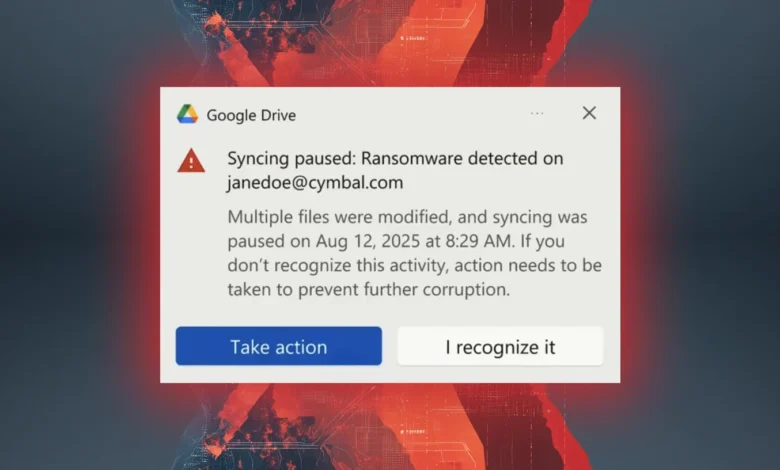
– When ransomware is detected during file sync, synchronization is automatically paused and alerts are sent to both the affected user and their administrator.
– If files are encrypted, users and admins can restore previous unencrypted versions from up to 25 days prior for files in My Drive, Shared drives, and other locations.
– These features are enabled by default for organizations, but administrators can control their activation at the organizational unit level.
As organizations continue to face sophisticated cyber threats, Google has rolled out a powerful new layer of defense within its cloud storage platform. The company has announced the general availability of ransomware detection and file restoration capabilities for Google Drive, features that first entered beta testing in September 2025. This move directly addresses the critical need for businesses to mitigate the damage from malware that targets personal computers.
The enhanced system operates through Google Drive for desktop, scanning files during the synchronization process to the cloud. When the platform identifies potential ransomware activity, it can issue an alert to the user before their entire file library is compromised. This proactive scanning is powered by an advanced AI model that Google says represents a significant leap forward from the beta phase. The company states its latest detection technology identifies 14 times more infections, enabling faster response and broader protection against a wider array of ransomware encryption methods.
Upon detection of encrypted files, the system automatically pauses synchronization to prevent the corrupted data from overwriting clean cloud backups. The affected individual receives an immediate notification within the Drive interface and via email. Simultaneously, administrators are alerted through both the Admin console Security Center and their email, ensuring IT teams can swiftly investigate and respond to the incident.
Should an attack succeed in encrypting files on a local machine, the file restoration feature provides a clear recovery path. Google Drive informs the user when the suspicious activity began and offers direct guidance on how to retrieve their data. Because the cloud versions remain untouched, users and admins can restore files in bulk to a known, unencrypted state from before the infection. This recovery option covers files modified within the last 25 days, encompassing content from My Drive, Shared with me, and both internal and external shared drives.
For organizations, these critical security functions are enabled by default. Administrators retain control, with the ability to toggle ransomware detection and restoration on or off at the organizational unit level within the Admin console. End-user access to these protections is contingent on the configuration set by their organization’s IT administrators, providing flexibility for different security policies and risk postures across an enterprise.
(Source: Help Net Security)