Adobe Premiere Mobile Now Integrates YouTube Shorts Creation
▼ Summary
– Adobe and YouTube have partnered to launch a dedicated “Create for YouTube Shorts” content creation space within the Premiere mobile app for iOS.
– This space provides exclusive templates, effects, and transitions, and allows creators to publish Shorts directly to YouTube from their phones.
– The partnership is designed to encourage creators to use Adobe’s tools over competitors like Meta’s Edits or CapCut by offering a space optimized for YouTube Shorts.
– Creators can customize templates from top creators or submit their own, using tools for editing, color adjustment, and adding text or AI-generated content.
– Access requires a free Premiere mobile login and a YouTube profile, enabling creators to edit and upload clips directly from their camera roll or cloud storage.
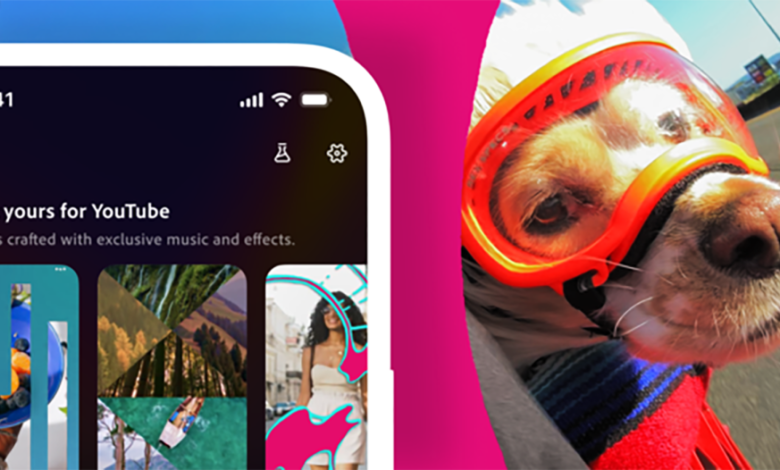
Adobe has announced a significant new feature for its mobile editing platform, bringing a specialized content creation hub directly into Premiere for iOS. This new space is built specifically for YouTube Shorts, offering creators a streamlined workflow to produce and publish vertical video content from their phones. The integration provides exclusive templates, transitions, and effects, along with the ability to publish finished Shorts directly to a creator’s YouTube channel without leaving the app.
This partnership is strategically designed to give creators a comprehensive toolkit for producing viral content, expanding their audience, and capitalizing on current trends. Whether someone is crafting daily vlogs, travel montages, or behind-the-scenes clips, the environment is tailored to meet those needs. For YouTube, this collaboration offers a compelling reason for creators to use its partner’s tools instead of turning to competing platforms like Meta’s editing features or ByteDance’s popular CapCut app.
A key innovation of this partnership is the direct link between inspiration and creation. Creators browsing their YouTube Shorts feed can now instantly launch a template they see directly into Premiere mobile for customization. This seamless connection is designed and optimized specifically for the YouTube Shorts format, making the creative process more fluid and immediate.
The dedicated “Create for YouTube Shorts” space features ready-made templates from top creators, complete with built-in text, effects, and transition presets. Users can import their own media and personalize these templates to match their unique style. There is also an option for creators to design and submit their own original templates to the community.
Getting started requires a free Premiere mobile account to access the space and a YouTube profile for direct publishing. After downloading the app from the App Store, users simply tap the “Create for YouTube” option to enter the specialized hub. From there, they can import clips from their iPhone’s camera roll, cloud storage, or Adobe Creative Cloud. The editing suite allows for cutting and trimming clips, layering multiple video and audio tracks, adjusting color and brightness, and adding text overlays and captions. Once editing is complete, creators can follow the export prompts to upload their finished Short directly to YouTube.
Adobe emphasizes that these new tools, including the dedicated Shorts space, are powerful for creators at all levels, from seasoned professionals to those just beginning. The app brings polished video editing with studio-quality audio, AI-generated sound effects, precision multi-track editing, and Firefly AI content generation to a mobile device. The overarching goal is to make producing and sharing content easier and faster, ultimately empowering creativity for everyone by simplifying the path from an idea to a published video.
(Source: TechCrunch)