Metroid Prime 4 Emulates Flawlessly on PC, Supports 3D
▼ Summary
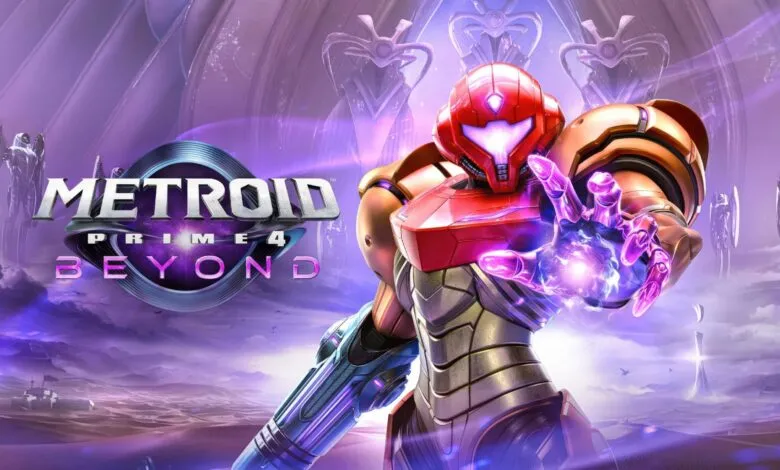
– Metroid Prime 4: Beyond has been released for both the Nintendo Switch 2 and the original Nintendo Switch, fulfilling a promise made after its initial 2017 announcement.
– The game’s development was troubled, leading to a reboot and significant delay after it was handed from Bandai Namco back to its original developer, Retro Studios.
– The game runs well on various active Nintendo Switch emulators for PC, such as Ryubing, Eden, and Citron, despite Nintendo’s legal actions against others.
– Using ReShade with the Rendepth shader, players can convert the game into a stereoscopic 3D format for play on a virtual giant screen via software like Virtual Desktop.
– This emulation setup requires specific technical configuration and is only legal if the user owns and dumps a personal copy of the original Switch game.
The recent launch of Metroid Prime 4: Beyond has generated significant excitement, not only as a major release for the Nintendo Switch and Switch 2 but also within the PC emulation community. While the game was famously delayed after a development reboot, its eventual arrival means players can now experience it through various active Nintendo Switch emulators. This opens up possibilities for enhanced performance and unique visual features not available on the original hardware.
Although the game was initially announced for the original Switch back in 2017, its path to release was far from straightforward. Development challenges led Nintendo to restart the project, shifting it back to Retro Studios after initially assigning it to Bandai Namco. This decision caused a substantial delay, pushing the launch well past the debut of the Switch 2. Despite this, Nintendo honored its commitment to release the title on the older console as well.
This dual-platform release is particularly advantageous for PC enthusiasts. While emulating the Switch 2 isn’t currently possible, the original Switch is well-supported by several emulation options. Despite legal actions that led to the shutdown of prominent emulators like Yuzu, alternatives such as Ryubing, Eden, and Citron remain active and are reportedly running Metroid Prime 4: Beyond effectively.
The most striking development, however, is the ability to play the game in stereoscopic 3D on a PC. By using the post-processing tool ReShade alongside specific shaders, players can convert the game’s graphics for 3D presentation. The process involves installing ReShade with full add-on support and applying the Rendepth shader. This shader converts the game’s depth buffer into a side-by-side 3D image that can be interpreted by software like Virtual Desktop.
Setting this up requires a few technical steps. After installing ReShade and selecting the Vulkan option, users must enable the Rendepth shader and configure its output to side-by-side format. Key settings include adjusting the stereo strength and Z-buffer scaling. It’s crucial to verify that the depth buffer is being captured correctly by toggling the debug view and cycling through Vulkan depth sources until a proper gradient is displayed. If the depth preview appears inverted or flat, editing ReShade’s global preprocessor definitions can correct the image orientation.
Once the correct depth source is selected and the image is properly oriented, users can disable the debug view and enable performance mode. With Rendepth active during normal gameplay, the 3D image is generated. To view it, Virtual Desktop must be set to a 3D mode like half side-by-side, which fuses the double image into a single stereoscopic view. The resulting effect has been described as resembling the pop-out visor style of the Nintendo 3DS, creating an immersive experience akin to playing on a giant, curved screen. Achieving this effect requires compatible hardware, such as a VR headset or a dedicated glassless 3D display.
It is important to emphasize that this method of playing Metroid Prime 4: Beyond on a PC is only legitimate if you own a legally purchased copy of the game for the Nintendo Switch and create a personal backup, or dump, of the game files for your own use.
(Source: WCCFTECH)