Google Fi’s Web Calls and RCS: How It Works
▼ Summary
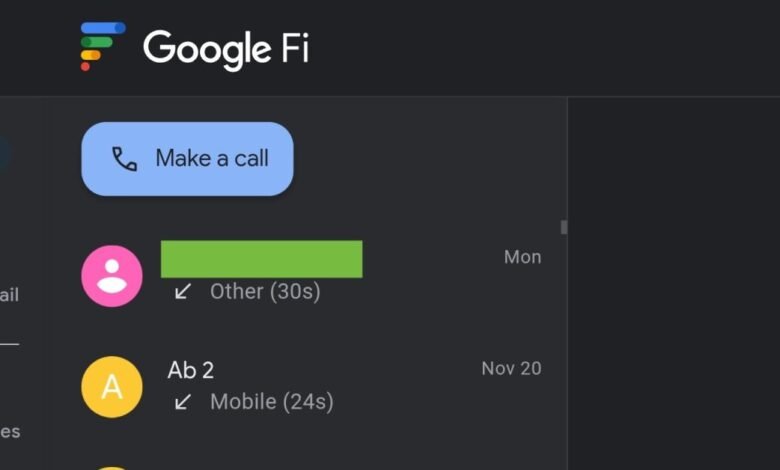
– Google Fi has introduced a new “Web Calls” page (fi.google.com/webcalls) to handle calls and voicemail on the web, while moving texting to the existing Messages for web platform.
– This change separates the previous unified web experience, requiring users to now use two different websites for calls/voicemail and for texting.
– The new system enables RCS (Rich Communication Services) chat features for texting on the web, which was not available in the previous Fi web setup.
– Key functionalities include making and receiving calls even when your phone is off, and receiving web notifications for incoming calls and voicemails.
– The setup has specific limitations, such as the inability to delete multiple calls/voicemails at once on the web and a required 24-hour wait after activating Fi service before using Web Calls.
Google Fi has streamlined its web-based communication tools by separating calling and messaging functions onto distinct platforms. This change allows users to make calls and check voicemail through a dedicated fi.google.com/webcalls page, while texting, including RCS chats, is managed entirely within the existing Messages for web interface. The shift means Fi subscribers on Android can now enjoy richer messaging features like high-resolution media sharing directly from their browsers, a capability previously unavailable through the older, unified system.
The new Web Calls page is designed for use on tablets and laptops where you’re signed into your Google Account. Its functionality mirrors the previous experience but now operates as a separate site. You can still receive web notifications for incoming calls and new voicemails. A significant advantage is that you can make and receive calls even when your phone is switched off, provided you are signed into the web page. The calling and voicemail services sync with your Messages for web session, making it simple to transition a conversation from a call to text.
There are, however, a few important operational details to note. Actions taken on the web don’t always sync uniformly across devices. Deleting a call from your web history does not remove it from your phone’s call log. In contrast, deleting a voicemail on the web will erase it from all synced devices. The web interface currently lacks a bulk delete function, so calls and voicemails must be removed individually. Also, if you’ve recently activated Google Fi on an Android device, you must wait approximately 24 hours before the web calls feature becomes available.
Enabling RCS messaging through this new setup requires a specific process. You must first disconnect the older synchronization link. Within the Google Messages app on your phone, navigate to Settings, then Advanced, and select Google Fi Wireless settings. After signing into your Fi account, you will be prompted to turn off the existing sync. Once you confirm and stop syncing, you can then enable RCS directly from the main settings page in the Messages app. This step is crucial for accessing modern chat features on the web.
The overall design of the new Web Calls page and Messages for web is very similar, maintaining a consistent user experience. The navigation drawer on the calls site conveniently links you over to your messaging tab. This separation creates a more focused toolset, though it does mean managing two browser tabs instead of one. The update solidifies Google Fi’s web offering, finally bringing full RCS support to the computer for Android users, while iOS compatibility remains absent.
(Source: 9to5 Google)