Xbox Insiders Get Full Screen Mode on Windows 11 Now
▼ Summary
– The Xbox full screen experience is now generally available on Windows 11 handhelds, offering performance optimizations and direct boot into Xbox for smoother gameplay.
– This update is also in preview for other Windows 11 PC form factors like laptops, desktops, and tablets, tailored for the PC experience.
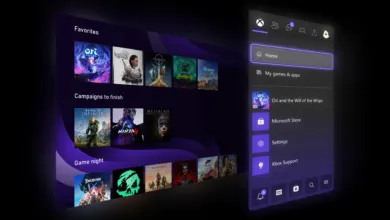
– It features a controller-navigable UI that provides an immersive, console-like environment for browsing and launching games from various PC storefronts.
– Users can access the PC preview by joining both the Xbox Insider and Windows Insider programs and selecting the PC Gaming Preview.
– Feedback on the experience can be submitted via the Feedback Hub under Gaming and Xbox > Gaming Full Screen Experience.
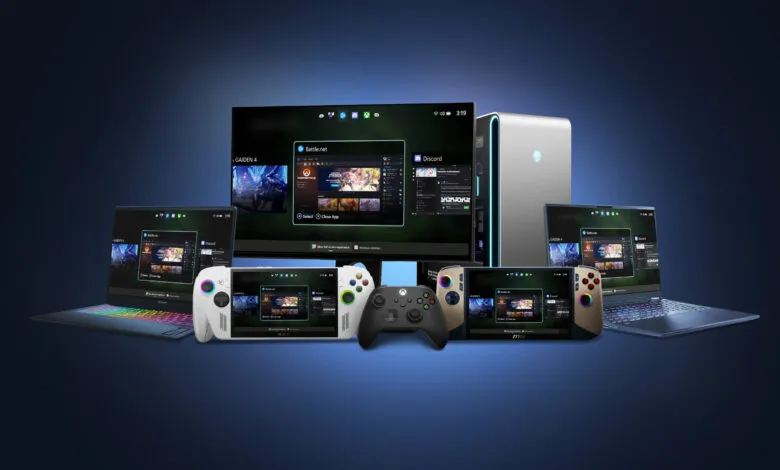
A new full screen experience for Xbox is now available on Windows 11 handheld devices, delivering performance improvements and the ability to start up directly into the Xbox interface. This feature is designed to reduce delays and help players jump into their games more quickly, offering a smooth, console-style experience on portable gaming systems. Setup instructions can be found on the official full screen experience support page.
Beyond handhelds, the Xbox full screen mode is also in preview for other Windows 11 devices, including laptops, desktop computers, and tablets. Each version is customized to fit the particular needs of PC gaming.
The interface is built for controller navigation, creating an engaging, console-like environment where users can easily explore and start games from their entire library, covering titles from most major PC storefronts. A powerful Task Switcher lets you move quickly between games and applications, ensuring a fluid and uninterrupted session.
To gain access to the PC preview, you need to enroll in both the Xbox Insider and Windows Insider programs. First, join the Xbox Insider Program if you aren’t already a member. Then, install or open the Xbox Insider Hub application, go to Previews, choose PC Gaming Preview, and select Join. Next, sign up for the Windows Insider Program and opt into the Beta or Dev channel.
Once enrolled, you can activate the full screen mode. For complete setup instructions and to be among the first to test it, visit the official announcement about extending the Xbox full screen experience to Windows 11 PCs.
Microsoft encourages users to share their opinions through the Feedback Hub, which can be opened with the keyboard shortcut WIN + F or through the Xbox PC App by choosing “Report a Problem.” Please categorize your feedback under Gaming and Xbox > Gaming Full Screen Experience.
The Xbox team appreciates all the input from its Insider community. If you need assistance as an Xbox Insider, you can connect with others on the Xbox Insider subreddit, where Xbox staff, moderators, and fellow Insiders offer support. To help keep things organized, try adding to existing threads on the same topic before creating a new post. Your feedback plays a vital role in influencing future Xbox updates.
For the latest news about the Xbox Insider Program, follow the @XboxInsider account on X/Twitter and check this blog regularly. You can also engage with other community members on the Xbox Insider SubReddit.
(Source: Xbox News)