Unlock Your Kindle: 7 Reasons to Jailbreak It
▼ Summary
– The Kindle operates within Amazon’s restrictive ecosystem, limiting customization and requiring extra payments to remove ads or prevent automatic updates.
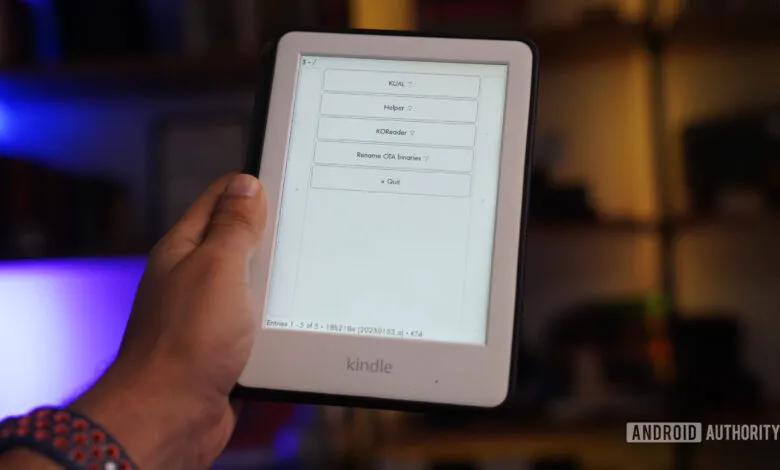
– Jailbreaking the Kindle unlocks its full potential by providing access to hidden software and file systems, enabling features like custom wallpapers and third-party tools.
– KOReader, an open-source app available after jailbreaking, significantly enhances the reading experience with better file format support, layout control, and faster performance.
– Jailbreaking allows users to disable ads, block updates, and stop background tracking, giving more control over the device’s functionality and privacy.
– Additional benefits of jailbreaking include wireless syncing with Calibre, running games and apps, and repurposing the Kindle as a dashboard or for full file system access.
For many book lovers, the Kindle remains a top-tier e-reader, yet its full potential often feels locked away by Amazon’s strict software limitations. While it excels at delivering books in a straightforward manner, users quickly bump into restrictions, limited formatting, mandatory ads, and a closed-off system that stifles personalization. Fortunately, a process known as jailbreaking can liberate your device, unlocking capabilities that rival or even surpass competing e-readers like Kobo. By installing custom software and gaining deeper access, you can transform your Kindle into a truly personalized reading companion.
One of the most compelling benefits of jailbreaking is gaining access to KOReader, an open-source reading application that dramatically expands what your Kindle can do. Unlike the default Kindle software, KOReader supports a wide array of file formats, including ePub, DJVU, and CBZ, and delivers vastly improved PDF handling. You gain granular control over layout settings such as margins, line spacing, and font weight, tailoring the reading experience to your exact preferences. It also integrates wireless dictionary lookup, translation tools, and plugin support, plus the ability to sync wirelessly with a Calibre library. The interface feels noticeably faster, with quicker page turns and smoother navigation, making it a must-have for serious readers.
Personalization reaches a new level once your Kindle is jailbroken. While Amazon offers a handful of built-in fonts, jailbreaking allows any font you choose to work seamlessly across all eBook formats. With KOReader, you can even assign different fonts to individual books, something impossible on a stock Kindle. Beyond typography, you can finally replace the generic screensavers or special offers with your own images, book covers, inspirational quotes, or personal photos. This degree of customization makes the device feel uniquely yours, reinforcing a sense of ownership that the standard experience lacks.
If you own a Kindle with “special offers,” you already know how intrusive ads can be. Jailbreaking lets you permanently disable advertisements without paying Amazon’s upgrade fee. More importantly, it allows you to block automatic software updates and background telemetry. This means your Kindle won’t “phone home” to Amazon, preserving your preferred setup and sideloaded content indefinitely. For users who value privacy and control, this alone justifies the jailbreaking process.
Managing your ebook collection becomes far more convenient with a jailbroken Kindle. Using KOReader’s built-in wireless sync feature, you can connect directly to your Calibre library over Wi-Fi, eliminating the need for repeated USB connections. Books and their metadata transfer seamlessly, and you can even link to cloud storage like Dropbox. This wireless freedom simplifies maintaining a large, well-organized personal library, removing dependence on Amazon’s “Send to Kindle” service.
Beyond reading, a jailbroken Kindle can serve as a compact entertainment device. You can install lightweight games and applications, including classics like Sudoku, chess, and even Game Boy emulators. While performance varies, it’s impressive to see the device handle retro gaming and utilities like note-taking apps or a basic music player. It won’t replace a smartphone, but it opens up fun, experimental uses that demonstrate the hardware’s hidden versatility.
An older Kindle can find new life as a dedicated always-on dashboard for your home or office. Once jailbroken, you can configure it to display calendars, task lists, weather updates, or RSS feeds. E-ink screens consume very little power, so such a dashboard can run for weeks on a single charge. It’s a practical and energy-efficient way to repurpose a device that might otherwise sit unused.
For tinkerers and developers, jailbreaking provides full SSH access to the Kindle’s file system. This allows deep customization, editing system files, disabling services, or even installing a lightweight Linux distribution. While not for everyone, this level of access invites creative projects and automation that go far beyond typical ebook reader functions.
Deciding whether to jailbreak your Kindle comes down to your needs and comfort with modifying devices. If you’re content with the basic reading experience, sticking with the stock software may be the right choice. But if you crave greater control, enhanced functionality, and a more personalized device, jailbreaking unlocks a world of possibilities that make the Kindle truly your own. There are minor risks, like potentially voiding your warranty or bricking the device if done incorrectly, but the rewards, from a superior reading interface to expanded utility, are well worth it for enthusiasts.
(Source: Android Authority)