Discover the New Features in iOS 26.2 for Your iPhone
▼ Summary
– iOS 26.2 introduces an “Urgent” option in Reminders that sets an alarm for due tasks to prevent forgetting them.
– Apple Music now allows offline access to lyrics, including translations and beat-by-beat syncing, without an internet connection.
– Apple Podcasts gains AI-generated chapters, podcast mentions for easy show discovery, and producer-supplied chapter overrides.
– The Sleep Score criteria are updated to be stricter, with new point ranges for Very Low, Low, OK, High, and Very High classifications.
– EU users gain Live Translation with AirPods but lose Wi-Fi network syncing between iPhone and Apple Watch due to regulatory requirements.
The latest beta release of iOS 26.2 introduces a suite of enhancements for iPhone users, focusing on productivity, entertainment, and personalization. This update delivers meaningful upgrades across several built-in applications, along with specific adjustments for European Union residents and refined system-level controls.
One standout addition arrives in the Reminders app, where users can now mark tasks as “Urgent.” This action triggers an alarm on the iPhone when the task’s due time arrives, offering a powerful new method to ensure critical to-do items are not overlooked.
Apple Music subscribers gain greater flexibility with the platform’s lyrics feature. You can now view full song lyrics, including translations and real-time syncing, even without an internet connection. This enhancement makes the feature truly accessible anywhere.
Apple Podcasts receives three significant updates. First, artificial intelligence will automatically generate chapters for podcast episodes that lack them, though creator-supplied chapters will still take precedence. Second, a new Podcast Mentions feature intelligently identifies when hosts discuss other shows, providing direct links to those podcasts from within the player and transcript for easy discovery and listening.
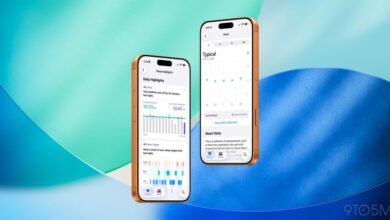
For Apple Watch owners, the Sleep Score feature has been recalibrated. Responding to feedback that the previous scoring was too lenient, Apple has raised the thresholds for each category. The new scoring structure is as follows: Very Low (0-40 points), Low (41-60), OK (61-80), High (81-95), and Very High (96-100).
The Apple News app has been redesigned to improve navigation. The “Today” view now includes four dedicated shortcut buttons for Sports, Puzzles, Politics, and Food. A new “Following” tab consolidates favorites, saved stories, and reading history, while the “Search” tab has been streamlined to emphasize content discovery.
iPhone users in the European Union will experience a mix of changes. On a positive note, the highly anticipated Live Translation with AirPods feature is finally being rolled out in the EU with iOS 26.2, following regulatory clearance related to the Digital Markets Act. Conversely, due to interoperability mandates from the same legislation, Wi-Fi network syncing between the iPhone and Apple Watch will be discontinued. This means users must manually enter Wi-Fi passwords on their watch for each network.
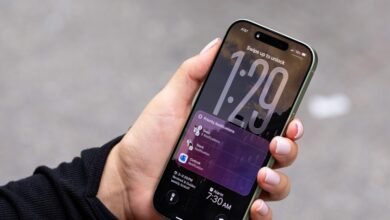
The Liquid Glass customization option, which debuted in iOS 26.1, gains further flexibility. A new Lock Screen slider allows you to adjust the transparency of the clock, working with all font styles to create a more transparent or opaque look.
Additional refinements in this update include:
- A new “Enhanced Safety Alerts” menu in Settings for managing earthquake and imminent threat notifications, with an option to share approximate location with Apple to improve alert accuracy.
- Support for creating tables within the Freeform app.
- An “Excluded Websites” list in the Passwords application.
- A new “Flash to Alerts” setting in Accessibility that causes the screen to flash for notifications.
iOS 26.2 is presently available for developer and public beta testing. A general release for all compatible iPhones is anticipated around mid-December. As this is only the first beta, further modifications may appear in subsequent builds before the final version is distributed.
(Source: 9to5 Mac)