Customize Liquid Glass in iOS 26.1, Available Now

▼ Summary
– Liquid Glass setting offers clear or tinted options to adjust opacity on the Lock Screen for apps and notifications.
– Live Translation with AirPods now supports Chinese, Japanese, Korean, and Italian languages.
– Apple Music adds a MiniPlayer swipe gesture for track navigation and AutoMix support over AirPlay.
– External USB microphones have gain control during recording, and local capture files can be saved to a specific location.
– New features include manual workout logging in Fitness, a Camera setting to toggle Lock Screen swipe, improved FaceTime audio in low-bandwidth, and default safety filters for child accounts.
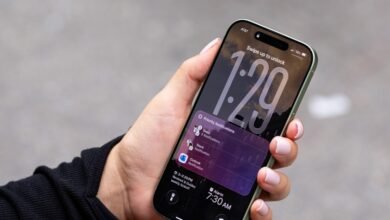
The latest iOS 26.1 update introduces Liquid Glass customization, allowing users to switch between the standard transparent appearance and a fresh tinted alternative that boosts opacity for app interfaces and Lock Screen notifications. This visual enhancement provides greater personalization while maintaining the fluid aesthetic Apple users appreciate.
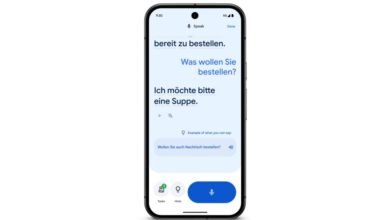
Live Translation capabilities now extend to AirPods, covering Chinese (both Simplified and Traditional variants), Japanese, Korean, and Italian. This expansion makes cross-language conversations more accessible for travelers and international communicators alike.
Music enthusiasts will appreciate the new Apple Music MiniPlayer gesture controls. A simple swipe lets you navigate between tracks, creating a more intuitive listening experience. Additionally, Apple Music now supports AutoMix functionality over AirPlay connections, ensuring smoother transitions between songs when streaming to compatible devices.
For content creators and professionals, iOS 26.1 brings significant audio recording improvements. External USB microphones now feature adjustable gain control during local capture sessions, giving users precise command over audio levels. Recorded files can be directed to specific storage locations, streamlining workflow organization.
Fitness tracking becomes more flexible with manual workout logging directly accessible through the Fitness app. Whether you forgot your wearable device or prefer manual entry, this feature ensures all your activity data remains consolidated.
Camera accessibility receives attention with a new setting that lets you enable or disable the Lock Screen swipe gesture for quick camera access. This prevents accidental activation while maintaining convenient access for photography enthusiasts.
FaceTime audio quality sees notable enhancement in challenging network conditions. The update optimizes performance during low-bandwidth situations, ensuring clearer voice communication even when internet connectivity fluctuates.
Communication Safety and web content filtering now activate automatically for existing child accounts aged 13-17, though specific age thresholds may differ across regions. These protective measures help limit exposure to adult content while promoting safer digital exploration for younger users.
(Source: The Verge)