How Google Fi’s HD Calling Delivers Crystal-Clear Calls

▼ Summary
– Google Fi has officially launched HD calling, addressing a long-standing subscriber complaint about its previous absence.
– HD Voice provides wideband audio for richer sound, while HD+ Voice uses newer technology for enhanced sound and reliability.
– HD Voice requires both callers to be on VoLTE, VoNR, or Wi-Fi calling networks, while HD+ Voice needs compatible devices and networks for both users.
– Android users see an “HD” icon during connected calls and in call history, while iOS users don’t get an indicator but may still receive HD quality.
– The HD icon disappears during conference calls if any participant lacks HD capability or when switching to non-HD networks, with audio quality dropping to the lowest common denominator.
Google Fi has officially launched its HD calling feature, addressing a frequent request from its user base for superior voice quality. This new capability aims to transform standard phone conversations into remarkably clear audio experiences. The service was detailed in a recent support page update, confirming observations made by subscribers who spotted the feature indicator in the weeks preceding the announcement.
HD Voice delivers wideband audio, creating a rich and full sound during calls. For an even more advanced experience, HD+ Voice utilizes cutting-edge technology to provide exceptional sound clarity and reliable connections. To benefit from HD Voice, both call participants must be connected through networks that support Voice over LTE (VoLTE), Voice over 5G (VoNR), or Wi-Fi calling. The requirements for HD+ Voice are slightly more specific, needing both users to have compatible devices and be on networks that support this enhanced feature. According to the GSMA, HD+ Voice effectively doubles the audio frequency bandwidth of standard HD Voice by employing the 3GPP Enhanced Voice Services (EVS) codec.
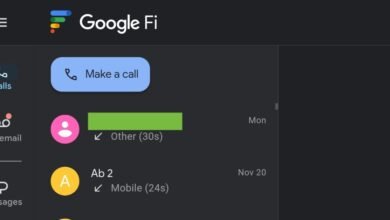
On Android devices, an “HD” icon will appear at the top of the screen once a call is successfully connected. This indicator is not visible during the dialing or ringing phases but will be recorded in the call history afterward. iPhone users will not see a specific icon, but their calls may still utilize HD or HD+ Voice quality depending on network and device compatibility.
When you place an HD or HD+ call on hold, the HD icon will stay visible on Android screens. However, if you initiate a conference call and merge with a participant who is on a non-HD capable line, the icon will disappear for the entire duration of that conference call. In such scenarios, the overall audio quality will default to the lowest quality supported by any participant on the call. Similarly, if your call transitions between networks, for example, moving from a VoLTE network to one that doesn’t support HD Voice, the HD icon will vanish if the new network lacks HD Voice capability.
(Source: 9to5 Google)