Proton Mail Review 2025: The Secure Email Service You Need
▼ Summary
– Proton automatically identifies mailing lists as newsletters and provides tools to manage, unsubscribe, and track unsubscribed services.
– The interface is familiar with layout options like list-style and column views, and includes a toolbar for contacts, calendar, and labels.
– Proton offers enhanced security features such as email encryption with passwords, expiration dates, and public key attachment when composing messages.
– Its AI writing assistant runs locally on your device, keeping prompts and responses private instead of storing them on remote servers.
– Proton blocks images with trackers, confirms links before loading, and offers a mobile app with swipe actions and offline mode, but lacks mailing list unsubscribe tools.
Proton Mail stands out in the crowded email market by offering powerful, privacy-focused features that put user control front and center. Its automatic newsletter management tool is a prime example, intelligently identifying promotional emails and grouping them into a dedicated view. From there, you can easily see how many messages a sender has delivered, move addresses between folders, and unsubscribe with a single click. The service even maintains a record of the mailing lists you have already unsubscribed from, which proved invaluable for tracking down persistent senders that other systems missed. While Gmail has introduced similar subscription management, Proton’s implementation feels more integrated and proactive, successfully categorizing the vast majority of incoming mail and actively encouraging users to leverage its organizational tools.
The interface will feel instantly familiar to anyone who has used mainstream email clients. You can choose between a standard list-style inbox reminiscent of Gmail or a column layout that places your message list on the left with a reading pane on the right, similar to Outlook’s default view. Customization options include standard or compact spacing to adjust the density of your inbox. A left-hand menu provides quick access to your labels and folders, while a toolbar on the right side conveniently displays your calendar and contacts. This comfortable, recognizable design makes transitioning to Proton remarkably smooth.
Where Proton truly distinguishes itself is in its advanced security capabilities, which become apparent once you start composing messages. A set of buttons at the bottom of the compose window unlocks powerful encryption and privacy controls. One option lets you password-protect an email, ensuring it remains encrypted throughout its entire journey, regardless of the receiving server’s security protocols. Another allows you to set an expiration date for messages and attach your public PGP key for enhanced security.
A particularly noteworthy feature is Proton’s local AI writing assistant. Unlike most email services that process AI requests on remote servers, potentially storing your prompts and responses, Proton’s assistant runs entirely on your own device. This local processing means your data never leaves your computer, offering a significant privacy advantage. While this requires a PC that meets specific system requirements and may generate text slightly slower than cloud-based alternatives, having this privacy-preserving option represents a major step forward for security-conscious users.
When it comes to reading emails, Proton prioritizes safety and simplicity. Messages load in full rich text with images displayed by default, but the service automatically blocks images that contain hidden trackers. It also prompts for confirmation before loading any link, displaying the full URL to help you verify its legitimacy. This is an essential security measure, especially on mobile devices where you can’t hover over links to inspect them, providing crucial protection against phishing attempts.
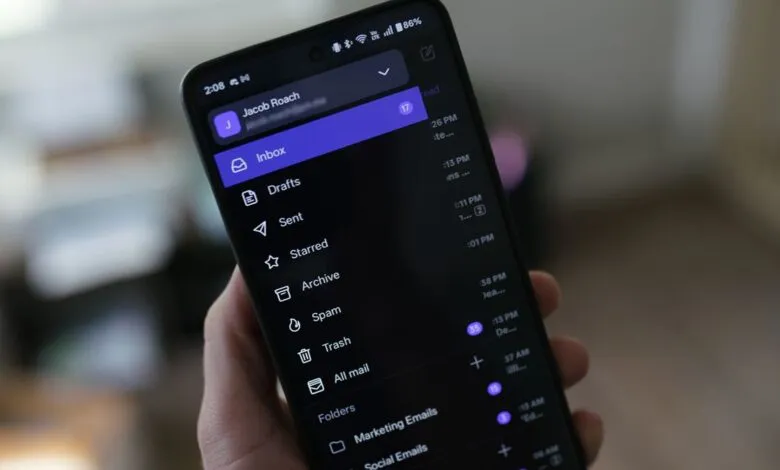
Most of Proton’s desktop features are available in its recently redesigned mobile apps for Android and iOS. The mobile interface supports convenient swipe gestures for quickly archiving or organizing messages and includes a useful new offline mode. The only notable limitation on mobile is the absence of the newsletter unsubscribe tools; for managing mailing lists, you’ll need to use the web or desktop application. Despite this single gap, Proton delivers a consistently secure and user-friendly experience across all platforms.
(Source: Wired)