DualSense Controller: 4 Devices Beyond Your PS5
▼ Summary
– The DualSense controller can connect to PCs, Macs, mobile devices, smart TVs, and the Steam Deck.
– The article provides instructions for pairing the controller with these different devices.
– It details which specific controller features are functional on each type of device.
– Feature compatibility varies depending on the device it is connected to.
– The guide is a practical resource for using the controller beyond the PlayStation console.
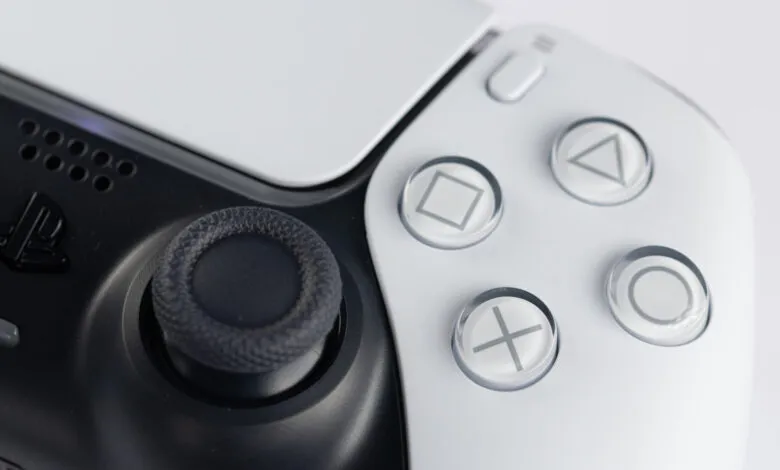
The PlayStation 5’s DualSense controller is far more versatile than many realize. While it’s the definitive input device for Sony’s console, its connectivity extends to a wide range of other platforms, unlocking its unique features for different types of gaming and media experiences. From desktop computers to handheld gaming systems, understanding how to pair the controller and which of its signature functions are supported can significantly enhance your setup.
Connecting the DualSense to a Windows PC is straightforward, typically done via Bluetooth or a USB-C cable. Once paired, you gain access to core functionality like motion controls and the touchpad, though support for advanced features such as adaptive triggers and haptic feedback is dependent on the game itself. Titles available on Steam or other PC storefronts must be specifically coded to utilize these immersive elements.
For Apple Mac computers, the process is similarly simple through Bluetooth settings. macOS recognizes the controller for basic input, making it suitable for cloud gaming services and native titles. However, the sophisticated haptics and adaptive trigger systems are generally not operational in this environment, limiting the experience to standard rumble and button inputs.
Mobile gamers can also benefit by pairing the DualSense with an Android or iOS device. This connection is ideal for streaming games from services like Xbox Cloud Gaming or PlayStation Remote Play, providing a much more substantial and responsive control scheme than a touchscreen. The controller’s built-in microphone and speaker are functional here, but the advanced tactile feedback features remain unsupported on mobile platforms.
Perhaps the most seamless integration outside the PS5 is with Valve’s Steam Deck. The handheld PC can detect the DualSense wirelessly or via USB, and SteamOS offers extensive configuration support. Many games running on the Deck can leverage the controller’s adaptive triggers and haptic feedback, delivering an experience that closely mirrors playing on the PlayStation 5 itself, especially for titles that are optimized for these inputs.
(Source: BGR)