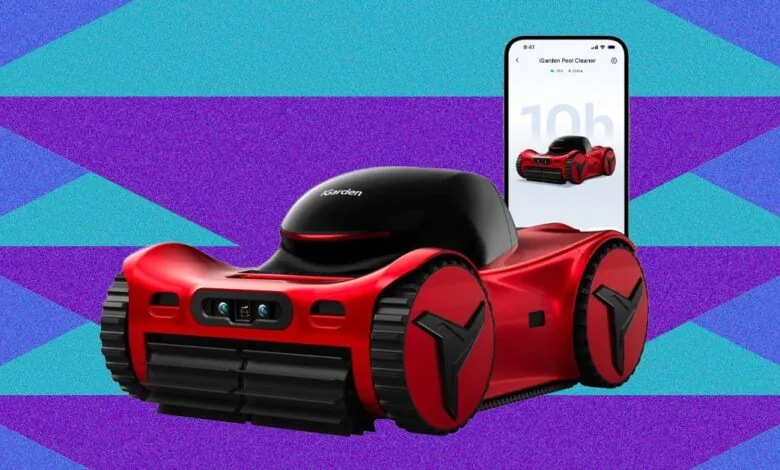
iGarden M1 Pro Max 100 Review: The Pool’s Sports Car
▼ Summary
– The iGarden M1 Pro Max 100 has a large 12500 mAh battery providing up to 10 hours of runtime, while the upcoming M1 Pro Max 125 will feature an even larger 14500 mAh battery.
– Its design features concealed treads and recessed wheels, giving it a more streamlined, automotive appearance compared to previous models.
– Setup requires a long initial charge and a basic mobile app, which is limited to configuration and updates without logging cleaning history.
– The robot’s front control panel is complex and non-intuitive, using touch-sensitive buttons and pictograms to manage run times and cleaning modes.
– Operational modes include floor-only cleaning, wall/waterline cleaning, a combination of both, and a full coverage cycle that also cleans ledges and steps.
Weighing in at a solid 25 pounds, the iGarden M1 Pro Max 100 is engineered for durability and extended performance. Its standout feature is a substantial 12500 mAh battery, which the manufacturer states can deliver up to 10 hours of operation in floor-only cleaning mode. For most pool owners, this capacity translates to over a week of daily use without needing a recharge. For those seeking even greater endurance, reports indicate a future model will offer a larger 14500 mAh battery. Beyond power, the design showcases a sleek, automotive-inspired aesthetic. The side profile reveals a significant update: the tread connecting the wheels is now mostly concealed within the chassis, visible only in a small section on the robot’s underside. Furthermore, the wheels are recessed into tight wheel wells, contributing to its streamlined, sporty appearance often likened to a sports car for the pool.
Getting the robot ready for its first dive is straightforward. After a lengthy initial charge of approximately five and a half hours, which involves carefully removing a very snug waterproof plug, you can configure basic settings through the companion mobile app. The application itself remains functionally basic, primarily useful for establishing operational parameters and installing firmware updates. It lacks features like a historical log of cleaning sessions, so most users will likely open it infrequently after the initial setup is complete.
The physical control panel on the front of the unit carries over from previous models. It presents a somewhat complicated interface with four touch-sensitive buttons alongside the main power button. Using a system of pictograms and small dots, this panel allows you to program the cleaning duration, choosing between one, one and a half, or two hours, or a run-till-the-battery-dies option. You can also select the cleaning mode, such as floor-only, wall and waterline, a combination of both, or a full coverage cycle that includes ledges and steps. A turbo mode boosts cleaning speed at the cost of some battery life, and an AI timer function can schedule repeat cleanings at 24, 48, or 72-hour intervals for long-term deployment in the water. Given the non-intuitive nature of the symbols, keeping the instruction manual nearby is advisable to ensure all settings are correctly configured.
(Source: Wired)