Android 17 Beta 2 Unlocks Windowed ‘Bubbles’ for All Apps
▼ Summary
– Android 17 Beta 2 introduces a new windowing mode that expands the “bubbles” feature beyond just messaging apps.
– The term “bubbles” now refers to two distinct system actions: the original conversation bubbles and new floating app windows.
– This floating window feature enhances multitasking, similar to offerings from other manufacturers like Samsung or OnePlus.
– The feature is particularly beneficial for foldables and tablets, which get a shortcut for quickly launching windowed apps from the taskbar.
– Developers are instructed to follow existing multi-window guidelines to ensure their apps are compatible with the new bubbles functionality.
The latest Android 17 Beta 2 release introduces a significant expansion of the platform’s multitasking capabilities, bringing a new floating window mode to all applications. This feature, which Google confusingly also calls “bubbles,” moves beyond the system’s traditional picture-in-picture support for messaging apps and opens up a more flexible windowing experience for the entire ecosystem.
Previously, the bubbles API was restricted solely to messaging applications, allowing quick replies in a small overlay. While that dedicated conversations mode remains, the term “bubbles” now has a dual meaning. It also refers to a new system action that lets any app run in a resizable, movable window on the screen. This functionality brings Android closer to the multitasking approaches seen on devices from manufacturers like Samsung and OnePlus, where apps can operate in free-form windows over other content.
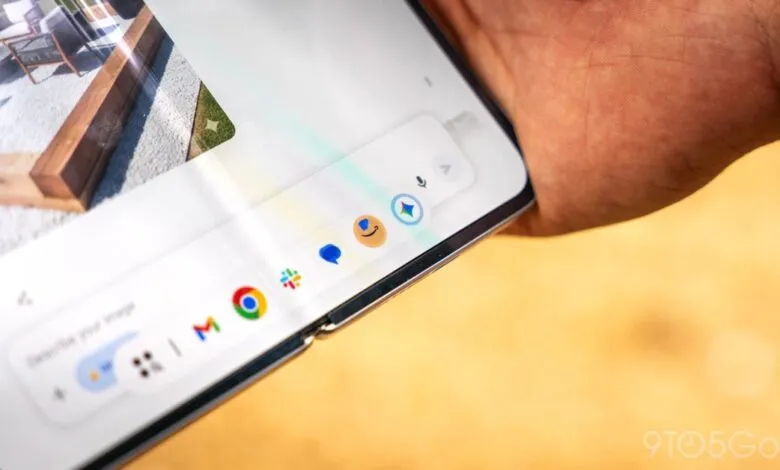
Google’s demonstration highlights the feature’s obvious utility on larger-screen devices. The company’s Pixel Fold and Pixel Tablet, which have historically lagged behind competitors in advanced multitasking, stand to gain considerably. A new shortcut on the taskbar for foldables and tablets allows users to drag an app icon to quickly launch it in a window. Once active, the windowed app behaves like any other floating interface, offering a more desktop-like workflow. This is poised to be a major upgrade for users of Google’s own large-screen hardware.
For developers, adopting this new mode is straightforward. Google advises following the existing guidelines for multi-window support to ensure applications function correctly when launched as floating bubbles. Proper implementation will guarantee apps resize appropriately and maintain usability in this new, more flexible state.
While the overlapping terminology might cause some initial confusion, the addition of universal floating windows is a powerful step forward for Android productivity. It finally provides a native, system-level answer to the custom implementations offered by other OEMs, promising a more consistent and powerful experience across the Android landscape, especially on devices with expansive displays.
(Source: 9to5 Google)