Microsoft fixes Windows 11 crash bug in Notepad, Paint, and Snipping Tool
▼ Summary
– Microsoft confirmed a server-side issue in the Windows Store caused apps like Notepad and Paint to fail with error 0x803F8001, which has now been fully patched.
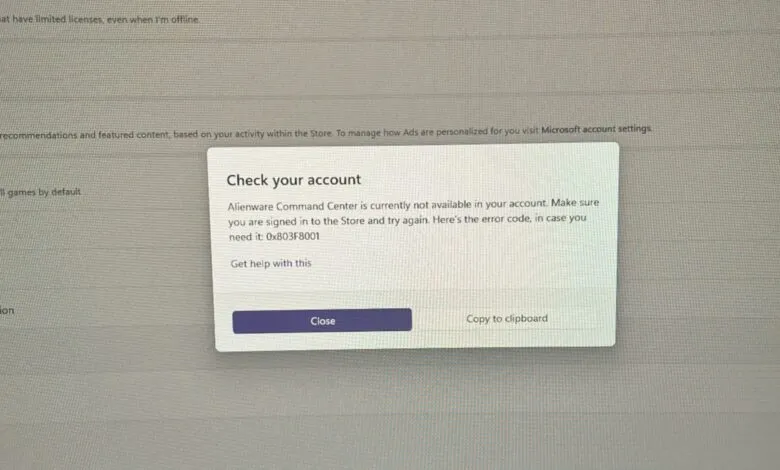
– The widespread problem rendered many PCs unusable as error windows repeatedly stole focus, with Alienware Command Center being a notable offender.
– Essential system apps, including Windows Security, were affected, preventing users from opening them and, in some cases, from reinstalling them after removal.
– The issue specifically impacted apps reliant on the Microsoft Store, while non-Store apps like Google Chrome remained unaffected.
– This Store problem followed a problematic January 2026 Windows Update that broke features like Outlook Classic, though Microsoft states the Store is now resolved.
Microsoft has successfully resolved a widespread server-side issue that was causing several core Windows 11 applications to crash or fail to open. The problem, which generated the error code 0x803F8001, specifically impacted built-in “inbox” apps like Notepad, Paint, and the Snipping Tool, rendering them unusable for many users. According to the company, the glitch originated within the Microsoft Store’s activation system and has now been fully patched.
Reports began surfacing on Wednesday evening, with numerous users across forums and social media describing their PCs as nearly “unusable.” The issue wasn’t limited to just those three applications; it affected any app or service dependent on the Microsoft Store for activation. This included utilities like the Windows Security app and third-party software such as the Alienware Command Center. The error window would persistently steal focus, popping up every few seconds and disrupting normal computer use.
One frustrated user detailed their experience online, noting, “I got stuck in a loop where my pre-installed Alienware Command Center was giving me error code 0x803F8001. My research indicated it was related to the Microsoft Store failing to locate or activate an app.” In an attempt to regain control of their systems, some individuals resorted to uninstalling the problematic apps. However, this created a new dilemma, as the broken Store prevented them from reinstalling the software later.
It’s important to clarify that applications distributed outside the Microsoft Store ecosystem, such as Google Chrome, remained completely unaffected. The bug was isolated to the Store’s infrastructure. A Microsoft representative confirmed the resolution, stating, “We have fully resolved a Microsoft Store issue that impacted app activation for some users.”
This fix arrives during a particularly turbulent period for Windows 11. The mandatory January 2026 Patch Tuesday update (KB5074109) introduced a separate set of problems, breaking features in Outlook Classic, Remote Desktop, and File Explorer customization. The situation became so severe that Microsoft advised affected Outlook users to temporarily switch to webmail or, as a last resort, uninstall the problematic update entirely. While investigations into those January update issues continue, the Microsoft Store and its dependent applications are now functioning normally again.
(Source: Windows Latest)