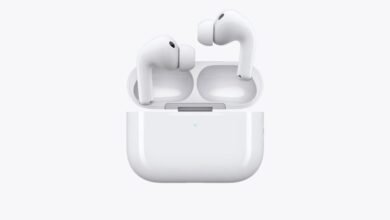
Unboxed New AirPods Pro? Try These Essential Features First.

▼ Summary
– Use the Ear Tip Fit Test in Settings to ensure optimal fit, which improves noise cancellation, comfort, and microphone performance.
– AirPods Pro offer multiple listening modes, including Active Noise Cancellation, Transparency Mode, and customizable Adaptive Audio.
– Conversation Awareness automatically lowers audio volume and enhances voices when you start speaking, then restores volume afterward.
– Control audio and calls using the stem’s Force Sensor for play/pause, track skipping, volume adjustment, and answering calls.
– Additional features include head gestures for call control, hearing health tools, Find My integration, and real-time Live Translation.
Congratulations on your new AirPods Pro! Getting the most out of them involves far more than just pressing play. To ensure you have the best experience right from the start, begin with the Ear Tip Fit Test. This quick process in your iPhone’s Settings app guarantees optimal noise cancellation, comfort, and microphone clarity by confirming you’re using the right silicone tip size from the included selection.
Your listening experience is highly customizable. You can switch between Active Noise Cancellation, which blocks out the world, Transparency Mode for staying aware of your surroundings, and the smart Adaptive Audio that automatically blends these based on your environment. In iOS 18, you can even fine-tune Adaptive Audio to let in more or less ambient sound. Switch modes by pressing and holding the stem’s force sensor, via Control Center, or directly in Settings.
A particularly useful tool is Conversation Awareness. When you start speaking, it automatically lowers your media volume and enhances voices in front of you, resuming your audio when you stop talking. It’s a polarizing feature, so it’s worth testing to see if it fits your lifestyle. You can toggle it in Control Center or Settings.
Mastering the controls unlocks convenience. The force sensor on the stem handles playback, track skipping, and call answering. You can also lightly swipe up or down on either stem to adjust volume without touching your phone. For a truly hands-free experience, enable Head Gestures in Settings. A simple nod can answer a call or reply to a message, while a shake of the head declines or dismisses.
Apple has integrated powerful health and accessibility tools. You can now take a hearing test directly with your AirPods Pro and, if needed, use them as a hearing aid for mild to moderate hearing loss. For calls, explore the microphone modes like Voice Isolation to block background noise or Wide Spectrum to capture everything around you. These are accessible during a call from Control Center.
Don’t overlook the practical features. Integration with the Find My app is a lifesaver, allowing you to locate a misplaced case or earbud on a map and play a sound. For shared moments, Audio Sharing lets you seamlessly stream audio to a second set of AirPods or Beats headphones with just a tap. With the latest iOS, Live Translation can translate in-person conversations in real-time through your earbuds, activated via the Translate app, Siri, or a stem press.
From ensuring a perfect fit to exploring translation, your AirPods Pro are packed with intelligent features designed to enhance how you listen, communicate, and interact with the world around you.
(Source: 9to5 Mac)