How to Stay on iOS 18 and Skip the iOS 26 Update
▼ Summary
– Since December, Apple has been pushing iPhone 11 and later users to upgrade from iOS 18 to iOS 26 by making new iOS 18 updates unavailable.
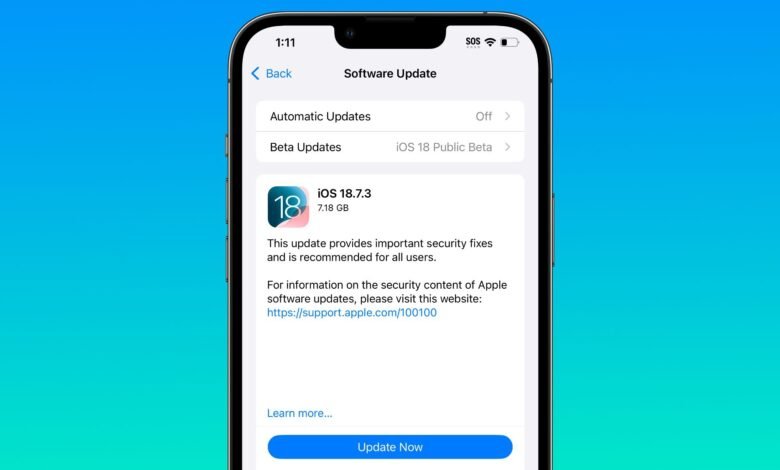
– Users can temporarily stay on iOS 18 and get security updates by enabling iOS 18 public beta updates, though this workaround may not last.
– Apple’s policy is to allow users to remain on an older iOS version only temporarily for a grace period, as stated in a 2021 support document.
– This pattern of eventually forcing upgrades is consistent with Apple’s past transitions, like from iOS 14 to iOS 15 and iOS 16 to iOS 17.
– The push to iOS 26 is more noticeable this year due to its polarizing Liquid Glass interface overhaul, despite security updates being available for both versions.
For iPhone owners who prefer the familiar interface of iOS 18, the recent push toward iOS 26 has been a source of frustration. Apple has systematically made staying on the older operating system more difficult, first by hiding update prompts and now by withholding new iOS 18 versions entirely for compatible devices. This leaves users with a tough choice: upgrade to an OS they may not want or risk missing critical security patches. Understanding Apple’s historical update patterns reveals this is not a bug but a deliberate, recurring strategy to migrate users to the latest software.
If you own an iPhone 11 or a newer model, Apple has ceased providing fresh iOS 18 updates, despite a security patch being released concurrently with iOS 26.2. When that version launched, the option for new iOS 18 updates disappeared from settings, effectively forcing users onto iOS 26.2 to maintain device security. This move coincides with a substantial set of security fixes in both iOS 26.2 and iOS 18.7.3, which patched an actively exploited WebKit vulnerability. Since both updates addressed the same core security issue, there is no pressing technical reason to mandate the upgrade to iOS 26.
Historically, this is a playbook Apple has followed before. The company first introduced the choice to remain on an older iOS with the transition from version 14 to 15. At that time, Apple promised users could stay on iOS 14 and “still get important security updates.” However, this option was always intended to be temporary. By January 2022, Apple began prominently steering users toward iOS 15 and stopped issuing iOS 14 security updates for devices that could run the newer OS. This identical pattern occurred with the shifts from iOS 16 to 17 and from iOS 17 to 18.
A temporary workaround did exist for those determined to stay on iOS 18. Users could enable the iOS 18 public beta updates, which forced the latest security updates, like version 18.7.3, to appear. However, this loophole has now been closed. Opting into the iOS 18 beta no longer triggers the availability of these updates, sealing off the primary method for bypassing the upgrade prompt.
The underlying reason for this policy is clear from Apple’s past statements. In a 2021 support document, the company clarified that the ability to stay on an old version was available only “for a period of time.” Apple provides a grace period following a major release, allowing early bugs to be resolved, but its ultimate goal is to have all compatible devices running the latest iOS. This annual migration effort is more noticeable this year due to the significant visual changes in iOS 26, such as the polarizing Liquid Glass interface overhaul, which has made some users particularly hesitant to update.
For those still on iOS 18, the path forward is narrowing. While the public beta trick was a short-term solution, Apple’s systematic approach indicates that remaining on the older operating system will become increasingly untenable. The company’s strategy prioritizes a unified, secure ecosystem on its latest software, even if that means gradually removing the choice to stay behind.
(Source: Mac Rumors)