Lost Your iPhone? Beware of Fake “Found” Phishing Texts
▼ Summary
– The Swiss NCSC warns iPhone users about a phishing scam that sends fake “found iPhone” messages to steal Apple ID credentials.
– Scammers use details from the lock screen’s custom message to send targeted SMS/iMessage phishing attempts impersonating Apple’s Find My team.
– The phishing messages contain convincing device details and a link to a fake Find My website that captures victims’ login credentials.
– Attackers aim to obtain Apple ID credentials to disable Activation Lock, which prevents erasing or reselling stolen iPhones.
– The NCSC advises ignoring such messages and securing devices through official channels, as Apple never contacts users via SMS/email about found devices.
Losing an iPhone is a stressful experience, and scammers are now exploiting that vulnerability with a sophisticated phishing scheme. The Swiss National Cyber Security Centre has issued an alert about fraudulent text messages that pretend to inform you your missing device has been recovered. These messages are carefully crafted to steal your Apple ID login information, giving criminals access to your personal data and the ability to disable critical security protections on your phone.
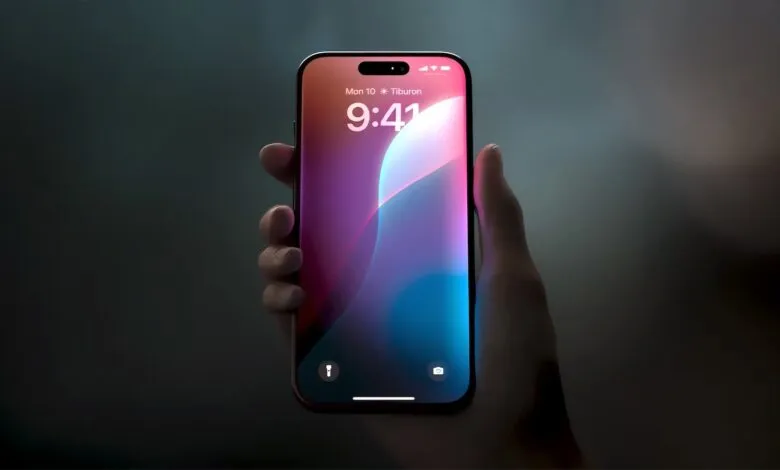
When an iPhone is lost or stolen, owners can use the Find My app to display a custom message on the lock screen, often including a contact number or email. Cybercriminals are harvesting this displayed information to send targeted smishing attacks via SMS or iMessage. The messages impersonate Apple’s Find My network, claiming the iPhone has been located in another country and urging the owner to click a link to see its current location.
The initial panic of losing a phone often gives way to hope that a good Samaritan will return it. Unfortunately, scammers prey on this exact emotion. Their messages appear legitimate, sometimes even including specific details like the iPhone’s model, storage capacity, and color, information easily visible on the locked device itself. A typical message might read, “We are pleased to inform you that your lost iPhone 14 128GB Midnight has been successfully located,” followed by a phishing link.
Clicking the provided link does not take you to Apple’s official website. Instead, it redirects to a fake login page that perfectly mimics the Find My interface. If you enter your Apple ID and password there, you are handing your credentials directly to the attackers. With this information, they can gain full control of your Apple account.
The primary objective for these thieves is to disable Apple’s Activation Lock. This security measure ties the iPhone to the owner’s Apple ID, preventing anyone else from erasing the device or reactivating it for resale. Since there is no legitimate technical method to bypass this lock, criminals use social engineering to trick users into voluntarily surrendering their account details.
It remains uncertain how exactly scammers obtain the target’s phone number, though possibilities include reading it from the SIM card or from the custom lost-mode message shown on the lock screen. To protect yourself, the NCSC recommends several precautions. Never click on links in unsolicited messages, and avoid entering your Apple ID on any site other than Apple’s official domain. If your phone is lost, activate Lost Mode immediately via the Find My app or iCloud. Consider using a dedicated email address for the lock screen contact message, and always keep your device linked to your Apple account to maintain Activation Lock. Additionally, securing your SIM card with a PIN code can help prevent misuse of your mobile number.
Apple does not contact users through SMS or email to report a found device. Any message claiming otherwise should be ignored and deleted. Staying vigilant and following these security practices can help you avoid falling victim to this convincing scam.
(Source: Bleeping Computer)