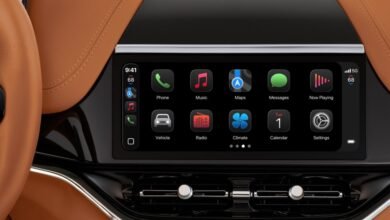
Apple CarPlay Without Cell Service: Does It Work?

▼ Summary
– CarPlay functions without cellular service, but its features become more limited and require prior preparation for offline use.
– It operates by mirroring a connected iPhone’s interface to the car’s display via Bluetooth or USB, regardless of the phone’s cellular status.
– Only specific, driver-essential iPhone apps are available on CarPlay, excluding distracting content like video streaming or games.
– Available apps typically include those for navigation, hands-free communication, and audio entertainment, many of which require an internet connection.
– Some supported apps offer an offline mode, and Siri voice control is available for operation, with improvements expected in a future iOS update.
Understanding how Apple CarPlay functions without a cellular signal is crucial for drivers who frequently travel through areas with poor coverage or who wish to manage their data usage. The core functionality of CarPlay does not depend on a live cell connection, as it essentially projects a driver-friendly version of your iPhone’s interface onto your car’s display. This connection is established through a USB cable or Bluetooth, meaning the system will activate whenever your iPhone is linked to the vehicle, irrespective of whether the phone has service. However, the experience becomes significantly more limited without internet access, as many of the apps you rely on will not operate fully.
CarPlay is designed with safety and simplicity in mind, which is why it only supports a curated selection of iPhone applications. You won’t find video streaming services or games available, as these are intentional distractions. Instead, the platform focuses on essential tools for the road: communication apps for calls and messages, navigation software like Apple Maps, and audio apps for music and podcasts. Siri voice control is integrated throughout, allowing for hands-free operation, with anticipated improvements in future iOS updates.
The critical factor for offline use is preparation. While the CarPlay interface itself will appear, most apps within it require an internet connection to deliver their full feature set. For instance, a navigation app needs data for live traffic, updated maps, and points of interest. The key is to utilize offline modes where available. You can download maps for offline use in Apple Maps or Google Maps directly to your iPhone before your trip. Similarly, music and podcast apps like Apple Music, Spotify, or Apple Podcasts allow you to download playlists and episodes to your device’s local storage. Once this content is saved, you can access and play it through CarPlay without any cellular signal.
For communication, standard phone calls and SMS text messages will not work without cellular service, as they rely on the carrier network. However, internet-based messaging apps like WhatsApp or iMessage may send previously downloaded messages, but sending new ones will be impossible until a connection is restored. Ultimately, a lack of cell service transforms CarPlay into a hub for pre-downloaded media and pre-loaded navigation, rather than a live, connected assistant. Planning ahead by downloading necessary content is the definitive step to ensuring a functional and enjoyable drive, even when you’re off the grid.
(Source: BGR)