Samsung One UI 8.5: All the New Features Leaked

▼ Summary
– One UI 8.5’s design is similar to its predecessor but adopts more elements from Apple’s Liquid Glass and brings a tablet-style split-pane interface to Galaxy Fold devices.
– The update includes a major Bixby revamp, making it smarter for device control and information queries, and adds features like conversation history.
– It introduces new connectivity features like Storage Share for cross-device file access and enhanced Auracast options for audio broadcasting, including voice.
– Key improvements are made to battery information displays, power saving modes, and accessibility controls for hearing aids, magnification, and pointer actions.
– The update adds numerous specific features across apps, including continuous AI image generation, partial screen recording, theft protection, and enhanced weather and health widgets.
The upcoming Samsung One UI 8.5 update promises a suite of new features and refinements, building upon the foundation of its predecessor. While the overall design language remains familiar, the software incorporates subtle aesthetic influences and introduces significant functional upgrades across the system, from a smarter Bixby to enhanced sharing capabilities and deeper health tracking.
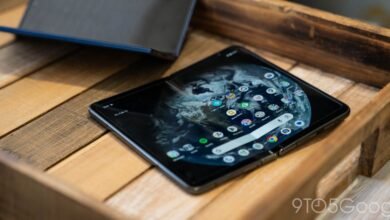
Visually, the interface continues the evolution seen in One UI 8.0, with reports indicating it adopts more elements reminiscent of modern design trends. A notable change for foldable phone users is the arrival of the split-pane notification and Quick Settings panel, a feature previously exclusive to Samsung tablets, now making its way to Galaxy Fold devices.
The full scope of new additions is extensive. A major focus is on Galaxy AI and Bixby, which receive substantial upgrades. The Photo Assist feature gains continuous image generation, allowing users to create multiple AI images in a single session without saving each one individually. Bixby itself is getting a comprehensive overhaul, designed to understand natural language better for device control and provide instant answers to queries without needing specific commands. Users can also now easily review their conversation history with Bixby directly within the app.
Connectivity sees useful improvements. Storage Share enables seamless file access across a user’s Samsung ecosystem, allowing phones, tablets, PCs, and even TVs to share files through the My Files app. Connecting to Smart View devices becomes faster with new Home screen shortcuts, and Auracast features are enhanced. Notably, Auracast now supports voice broadcasting directly from a phone’s microphone, in addition to media audio.
Battery and power management get a clearer interface with a redesigned settings screen for checking usage and charging status. The Power saving mode now offers more distinct “Standard” and “Maximum” options for granular control over battery life.
Accessibility features are expanded with easier controls for Bluetooth hearing aids and new options for screen magnification when using a mouse or keyboard. The update also introduces “Dwell action” and “Corner actions” for setting custom commands based on pointer movement.
A host of other refinements are scattered throughout the system. The quick panel becomes more customizable, reminders can send early alerts, and screen recording can be limited to a selected portion of the display. The Calculator app suggests recently copied numbers, and Samsung DeX will remember app window sizes and positions between sessions.
The Clock app gains weather-aware alarm backgrounds and a handy visual time zone converter. Samsung Health receives more detailed weekly reports, an upgraded workout sharing experience for social media, and the ability to start meditation sessions directly from a Galaxy Watch. Newer watch models like the Galaxy Watch8 and Ultra can even measure antioxidant levels independently of a phone.
Security is bolstered with new Theft Protection locks and a temporary disable option for Auto Blocker. Quick Share becomes more selective, allowing users to limit file reception to their own Samsung or Google accounts, and can now intelligently suggest sharing photos with recognized people in the image.
Personalization extends to lock screens, which can automatically adjust layouts to avoid covering faces in photos and offer more customizable clock fonts. Finally, the Weather widget adds precipitation forecasts and introduces a new pollen index tracker for allergy management.
Samsung is expected to launch One UI 8.5 alongside the Galaxy S26 series early next year.
(Source: 9to5 Google)