One UI 8.5 Changelog: See All the New Features

▼ Summary
– Samsung’s One UI 8.5 software update, which leaked in September, includes numerous visual and functional upgrades for Galaxy devices.
– A key focus is enhancing Galaxy AI and Bixby with features like continuous image generation and more natural language commands.
– The update introduces new connectivity and sharing features, such as Storage Share and improved Quick Share controls.
– It adds customization and utility options for the Home screen, weather, clock, and health tracking via Samsung Health.
– The update also brings improvements to security, battery settings, accessibility, and productivity tools like partial screen recording.
Samsung’s upcoming One UI 8.5 software update is packed with enhancements designed to refine the user experience across Galaxy phones and tablets. Based on leaked firmware builds and a comprehensive changelog, this iteration focuses on smarter AI, improved connectivity, and greater personalization. While a beta program is anticipated for the Galaxy S25 series in December, the core features outlined here are expected to form the foundation of the public release, though availability may vary by device.
Galaxy AI introduces a notable upgrade with continuous image generation. This allows users to seamlessly create multiple AI images using Photo Assist features without pausing to save each one, reviewing the entire history later to select favorites.
Bixby receives significant intelligence boosts. Smarter device control enables more natural conversations, as Bixby better understands requests even without precise command phrasing. The Ask anything, anytime feature provides instant answers to queries, eliminating the need for multiple searches. Additionally, accessing conversation history is streamlined through a new side panel in the Bixby app.
For Connectivity, Storage Share creates a unified file system, allowing access to files from other Samsung devices directly in the My Files app. A new Home screen shortcut enables faster connection to Smart View devices for screen mirroring. Enhanced Auracast features consolidate broadcasting and listening options into a single Settings menu, now supporting voice broadcasts using the phone’s microphone alongside media.
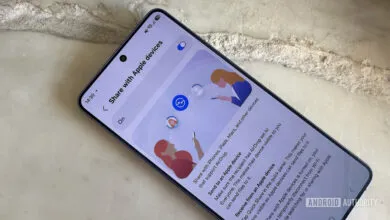
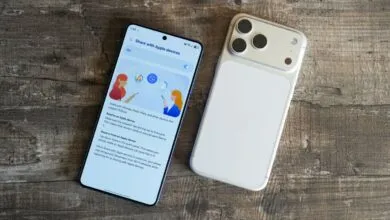
Quick Share gains privacy and convenience upgrades. Users can restrict sharing requests to devices signed into their Samsung or Google accounts. Photo sharing suggestions leverage recognition to recommend sharing pictures directly with the friends or family members appearing in them.
Home and Lock screens become more adaptive. An automatic Lock screen layout adjusts clock and widget placement to avoid covering key elements in personal photos. There are also more customizable clock fonts, including adjustable thickness for additional style options.
The Weather experience is enhanced. An enhanced weather widget on the Home screen can display a precipitation graph for the coming hours. A new pollen index provides levels for trees, grass, and ragweed to help manage allergies.
The Clock app adds a weather alarm background that displays current conditions when an alarm sounds. A new time zone converter with a slider makes comparing global times intuitive.
Samsung Health offers more comprehensive insights. Enhanced weekly reports now incorporate data from medication tracking and mindfulness sessions. An upgraded sharing experience lets users combine workout stats with photos for social posts. Users can start meditations directly from their Galaxy Watch, and select newer models can take antioxidant measurements independently, without a phone connection.
Security and privacy are strengthened with theft protection. This includes a failed authentication lock and expanded identity check safeguards. A new option allows users to temporarily turn off Auto blocker, with automatic reactivation after 30 minutes to prevent oversight.
Battery and power management sees interface improvements. Revamped battery info presents remaining time, charging status, and weekly usage more clearly. Improved Power saving offers two distinct modes: Standard for customizable limits and Maximum for disabling all non-essential features to extend battery life as long as possible.
Accessibility features are expanded. Bluetooth hearing aid control is integrated into the Accessibility shortcut for quick adjustments. New options let users control magnification with a mouse or keyboard, making the magnified area follow the cursor or keyboard focus. Dwell action and Corner actions provide new ways to trigger custom commands when the mouse pointer stops or moves to screen corners.
A suite of other improvements rounds out the update. A more customizable quick panel allows full rearrangement of settings toggles. Early alerts for reminders can be set to notify users before a task is due. Partial screen recording enables capturing only a selected screen area. Calculator nudges suggest recently copied numbers or formulas for quick entry. Finally, DeX mode will remember window sizes between sessions for a consistent desktop experience.
(Source: Sam Mobile)