Anthropic Warns: New Claude Feature Poses Data Risk

▼ Summary
– Claude AI can now create and edit documents, spreadsheets, slides, and PDFs directly through its interface for certain subscribers.
– This feature poses risks as it gives Claude limited internet access, potentially exposing sensitive data to malicious attacks like prompt injection.
– Anthropic advises users to monitor Claude’s behavior during file interactions and stop any unexpected or suspicious actions immediately.
– The company has implemented several security measures, including user controls to enable/disable the feature, monitor progress, and limit task durations.
– Users should evaluate their specific security needs before enabling this feature and avoid sharing sensitive data in prompts.
Anthropic’s latest update to Claude AI introduces a powerful new capability: the ability to create and edit documents, spreadsheets, and PDFs directly within the platform. While this feature promises to streamline workflows and boost productivity, it also introduces significant data security concerns that users must take seriously.
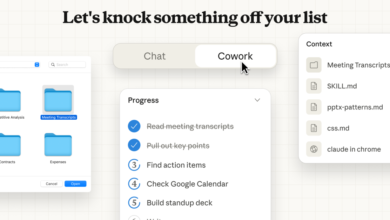
The new functionality allows Claude to generate and modify files like Word documents, Excel spreadsheets, and PowerPoint presentations through simple user prompts. Currently available to Max, Team, and Enterprise subscribers, the tool will soon roll out to Pro users as well. To enable it, users must navigate to Settings and activate “Upgraded file creation and analysis” under experimental features.
Despite its practical appeal, Anthropic has openly cautioned that this feature introduces risks. By granting Claude limited internet access to retrieve JavaScript packages needed for file processing, the system operates in a sandboxed environment. However, this setup is not foolproof. Malicious actors could use prompt injection or other methods to trick Claude into executing harmful code or extracting confidential information. Once compromised, data could be leaked to external networks.
To mitigate these threats, Anthropic advises users to closely monitor Claude’s behavior during file-related tasks. If the AI begins accessing data unexpectedly, users should halt the process immediately and report the issue. The company also emphasizes that users retain control over the feature, it can be disabled at any time, and actions within the sandbox can be reviewed and audited.
Additional protective measures include the ability to limit task duration, restrict public sharing of conversations involving file data, and implement filters to detect prompt injection attempts. While these safeguards are in place, the responsibility largely falls on users to remain vigilant.
Anthropic states that it has conducted extensive security testing and red-teaming exercises to identify vulnerabilities. Still, the company encourages organizations to evaluate whether the feature aligns with their specific security protocols before enabling it. For individual users, the best practice is to avoid sharing sensitive or personal information in prompts and to keep software updated to the latest version.
If your organization handles highly confidential data, it may be wise to delay using this feature until stronger safeguards are established. As with any AI tool, balancing convenience with security remains essential.
(Source: ZDNET)