Google Drive Adds One-Click Video Editing with New Vids Button
▼ Summary
– Google has introduced a new shortcut button in Drive to enhance video editing by integrating its AI-powered tool, Vids.
– Workspace users can now initiate video edits directly from Drive by clicking an “Open” button while previewing a video.
– The Vids app automatically launches the selected video file, enabling edits like trimming clips, adding music, or inserting text.
– This default shortcut indicates Google is more closely integrating Vids with its Workspace suite to streamline video production.
– The update follows a recent May introduction of a Gemini AI feature for Workspace that summarizes Drive videos.
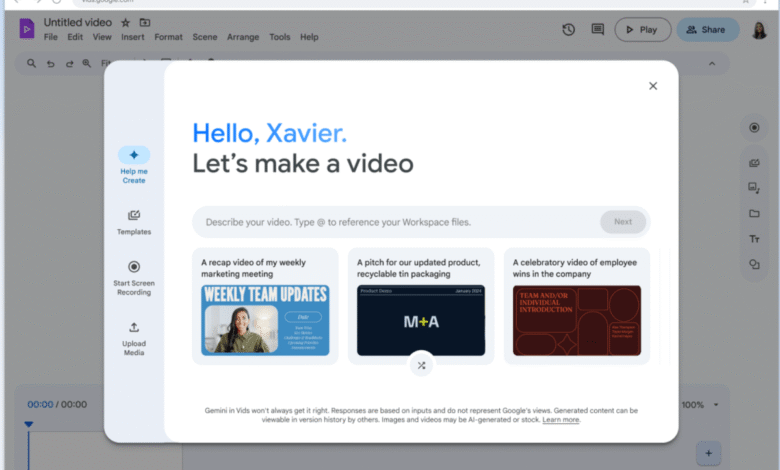
Google Drive now offers a dramatically simplified video editing workflow with the introduction of a one-click Vids button, making it easier than ever for Workspace subscribers to refine and enhance their video content directly from the cloud storage platform. This enhancement reflects Google’s ongoing effort to integrate AI-driven tools directly into its productivity ecosystem.
When users preview a video file within Google Drive, a new “Open” button appears in the top-right corner. Clicking it instantly launches the video inside the Vids application, where a range of editing options becomes immediately accessible. From there, it’s possible to trim footage, overlay music, insert text captions, and apply other enhancements without leaving the Google environment.
This seamless integration highlights how deeply Google is weaving Vids into the broader Workspace experience. Since its debut last year, Vids has been designed to simplify video creation, offering features like AI-generated scripts, intelligent clip rearrangement, smooth transitions, and the ability to produce videos from simple text instructions.
The update follows another recent AI upgrade for Workspace customers, the May release of a Gemini-powered tool that summarizes video content stored in Drive. Together, these features signal a clear investment in smart, accessible multimedia editing for professional and casual users alike.
User feedback plays a vital role in shaping how technology evolves. Sharing your experience helps developers understand what works, what doesn’t, and where future improvements should be focused.
(Source: TechCrunch)