ChatGPT Plus Now Summarizes Mac Meetings – Here’s How
▼ Summary
– ChatGPT’s Record mode is now available to all paid subscribers on Mac, allowing users to record, transcribe, and summarize meetings or conversations.
– The feature converts spoken audio into text and can analyze, summarize, or save transcripts for further use in emails or code.
– To use Record mode, Mac users must launch the ChatGPT app, grant permissions, and click the Record button during a meeting, then send the audio for transcription.
– Record mode is part of ChatGPT Plus ($20/month), which includes additional perks like Deep Research, Advanced Voice Mode, and GPT-4o image generation.
– Alternatives like Otter.ai and Fireflies.ai offer similar AI transcription services, but with varying free and paid plans, though AI-based tools may still have accuracy flaws.
ChatGPT Plus has introduced a powerful new feature for Mac users: automated meeting summaries through its Record mode. This upgrade allows subscribers to effortlessly capture, transcribe, and analyze conversations, transforming spoken discussions into actionable insights.
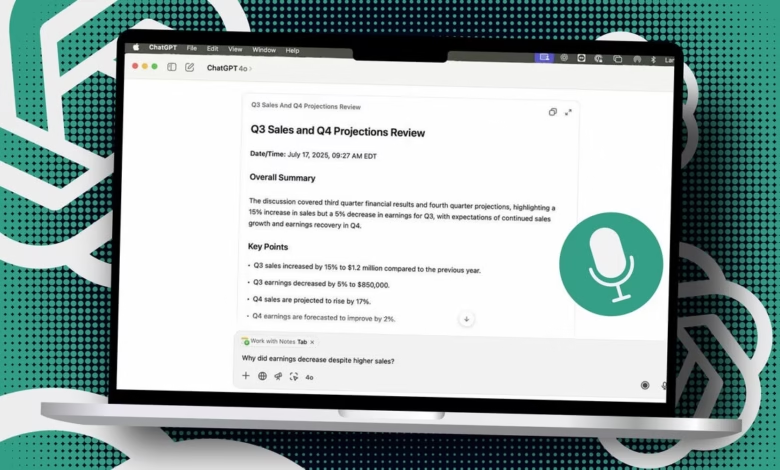
Previously exclusive to higher-tier plans like ChatGPT Pro and Enterprise, Record mode is now available to all ChatGPT Plus members who use the Mac app. The tool records meetings, brainstorming sessions, or voice memos, converting audio into text transcripts. Users can then request summaries, extract key points, or even generate follow-up tasks, all without manual note-taking.
To get started, open the ChatGPT app on a Mac and tap the Record button at the bottom of the screen. First-time users will need to grant microphone permissions. Once the meeting concludes, click Stop and send the recording to ChatGPT for processing. The AI generates a structured summary, highlighting critical takeaways, action items, and potential next steps. Users can also ask specific questions about the discussion for deeper analysis.
While the feature is a game-changer for productivity, it comes with limitations. Record mode currently works only on macOS, leaving Windows users waiting for future updates. The $20 monthly subscription includes additional perks like GPT-4o image generation, Advanced Voice Mode, and enhanced research capabilities, making it a compelling option for professionals.
For those exploring alternatives, services like Otter.ai and Fireflies.ai offer similar AI-powered transcription. Otter’s free plan includes basic features, while paid tiers start at $16.99 monthly. Fireflies provides a free version with restrictions, with unlimited access requiring a Pro plan at $18 per seat.
Despite its convenience, AI transcription isn’t flawless, errors can occur, so verifying accuracy remains important. Comparing tools to find the most reliable fit is advisable for critical workflows.
As AI continues reshaping workplace efficiency, ChatGPT’s Record mode stands out as a valuable tool for streamlining meetings, saving time and reducing manual effort. Expansion to other platforms could further solidify its position in the productivity space.
(Source: zdnet)