I Vibe-Coded My Overcomplicated Smart Home With Claude

▼ Summary
– The author, a smart home expert, used Claude Code AI to overcome the complexity of managing a disparate collection of devices across multiple incompatible platforms.
– By integrating Claude with Home Assistant using a specialized connector (ha-mcp), the AI could directly access and configure devices, automating setup tasks that would normally require extensive technical knowledge.
– Claude successfully created a functional, centralized dashboard for control and helped set up useful automations, significantly reducing the time and effort needed to configure Home Assistant.
– The process required supervision, as Claude sometimes made errors like deleting dashboard sections or selecting wrong devices, and each action needed manual approval for safety.
– This experiment demonstrates AI’s potential to simplify advanced smart home management by acting as a translator between user intent and technical implementation, though native platform integration is still developing.
For years, my smart home has been a source of frustration rather than convenience. As a reviewer who tests countless gadgets, my house has become a tangled web of incompatible devices from over a dozen brands, running on multiple platforms and protocols. The dream of a unified, seamless smart home felt out of reach until I decided to experiment with AI. Inspired by others online, I used Claude Code to attempt the impossible: building a central command dashboard and finally taming my technological monster.
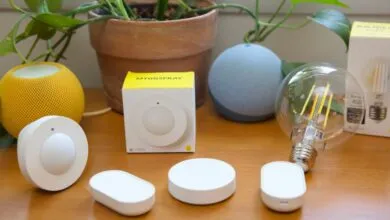
My setup is a classic case of interoperability chaos. I regularly juggle Amazon Alexa, Google Home, and Apple Home, alongside dabbling in Samsung SmartThings, Home Assistant, and Homey. A small army of bridges for Lutron, Philips Hue, Aqara, and others adds to the complexity. Devices rarely communicate reliably, automations break, and managing it all is a constant chore. My office is the epicenter, with lights from six different manufacturers on four different protocols. Simply turning them all on required a scavenger hunt across multiple apps. I needed one interface to rule them all.
My first attempt was overly optimistic. I asked Claude to scan my Wi-Fi and build a dashboard from scratch. The result was a useless web page with indecipherable device names and no real control. It became clear I needed a more robust foundation. Claude itself suggested the obvious solution: integrate with Home Assistant. This open-source platform is renowned for its broad compatibility and local control, but it has a notorious learning curve. As someone whose job is testing smart home gear, I’ve avoided the time sink of setting it up myself. Claude offered a potential shortcut.
The breakthrough came from using natural language. Through the Claude desktop app, I could simply describe what I wanted. I asked it to find my devices, help set up integrations, and suggest automations. Using a feature called Model Context Protocol, Claude could view my Home Assistant web interface through my browser, navigating it like a human, albeit a very slow one. It successfully created automations, like closing shades when the AC runs, and even configured a problematic Leviton switch by writing the necessary YAML code, a task that had previously made me quit. However, this manual process was painfully tedious.
The real acceleration happened when I connected Claude directly to Home Assistant’s backend using a community tool called the Unofficial and Awesome Home Assistant MCP Server. This gave Claude API access, moving beyond the slow, screen-by-screen browser interaction. After initial security concerns, wondering about an AI controlling my locks and oven, I was reassured by the built-in permissions. Claude requires explicit approval for every change, and the MCP server acts as a protective layer. With this direct line, I migrated nearly 200 devices and finally built my dashboard.
Creating the dashboard was the most satisfying part. I told Claude my priorities: quick lighting and climate controls, camera views, and solar production data. It generated a clean, logical layout in seconds, a world away from Home Assistant’s default overwhelming interface. I could refine it with simple prompts like “move the cameras to the right.” I even had it apply a modern “Mushroom” theme. The final product isn’t professionally designed, but it’s incredibly functional. Best of all, I finally got my single toggle for all the office lights, from the ceiling fan to the Nanoleaf panels, after a bit of AI-guided troubleshooting.
This process wasn’t flawless. Claude sometimes made errors, like deleting dashboard sections or grouping devices incorrectly, requiring careful supervision. The approval steps for each action meant I couldn’t just set it and forget it. But in about four hours of active “vibe-coding,” I achieved what would have taken me days of solo struggle. It solved persistent problems, like that bathroom fan automation, and taught me how the system works by showing me the completed code.
The potential here is transformative. While native AI integration isn’t yet in Home Assistant, its founders see clear benefits for troubleshooting and creative automation design. This experience revealed a future where AI dissolves technical complexity, letting your smart home simply work for you. My setup is now a usable, centralized system, freeing me to explore more advanced automations. For anyone overwhelmed by a fragmented smart home, AI-assisted tools like Claude are beginning to turn the dream of effortless control into a tangible, afternoon project.
(Source: The Verge)