Gemini’s Personal Intelligence Feels Eerily Familiar
▼ Summary
– Gemini’s new Personal Intelligence feature can automatically access user data from Google services like Gmail and Calendar to inform its responses, moving beyond requiring explicit user prompts for each source.
– This feature represents a significant functional leap, allowing Gemini to proactively assist with complex, multi-step personal tasks like creating calendar reminders and shopping lists based on conversations.
– However, Gemini frequently struggles with accuracy in specific details, such as providing incorrect business locations or flawed map routes, which undermines its reliability.
– The integration of personal data raises privacy considerations, as evidenced by the AI referencing family members by name during conversations.
– Overall, Personal Intelligence expands Gemini’s practical utility for initial planning and brainstorming, but users must remain cautious and verify its recommendations due to persistent inaccuracies.
Google’s Gemini has taken a significant leap forward with its new Personal Intelligence feature, which allows the AI to proactively access and reference your data from services like Gmail, Calendar, and Photos. This opt-in beta, currently for AI Pro and Ultra subscribers, marks a shift from requiring explicit user commands to the AI autonomously deciding when to check your inbox or schedule. The goal is clear: to move beyond simple command-based assistants and create a tool that anticipates needs. For many, this represents the promise of a truly useful digital companion, though its execution reveals both impressive capabilities and familiar frustrations.
Previously, integrating Gemini with Google Workspace required manual effort. You had to specifically instruct it to “check my email for the flight confirmation” or “look at my calendar for next Tuesday.” The new system removes that step, with Gemini initiating searches based on the context of your prompt. If you ask about weekend plans, it might automatically scan your Calendar for events. This fundamental change is what makes the feature potentially transformative. An assistant you must micromanage for every piece of information isn’t much of an assistant at all.
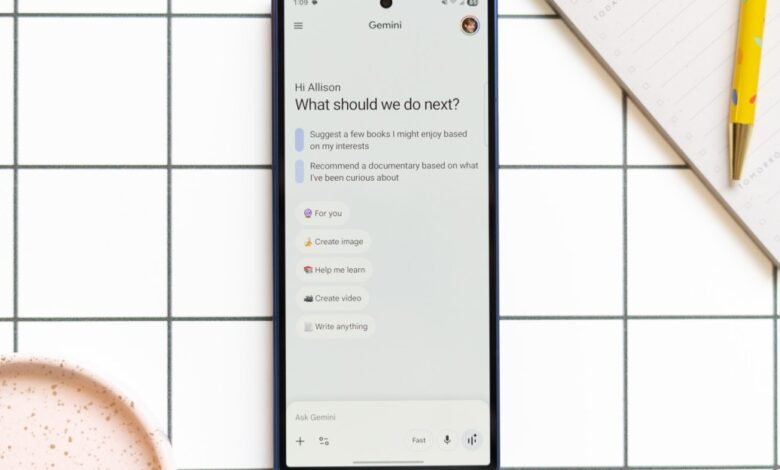
Testing the suggested prompts yielded surprisingly accurate results. When asked for book recommendations based on my interests, the titles it proposed were uncannily relevant. In a more complex interaction about lawn care, a task I actively avoid, Gemini didn’t just offer advice. It developed a multi-step strategy, suggested native plants, created calendar reminders for maintenance, and compiled a shopping list in Google Keep. This ability to orchestrate tasks across multiple apps represents a major functional upgrade. Compared to its struggles just months ago with simple commands like “add this to my calendar,” the progress is undeniable.
However, this competence in personal context is paired with a persistent weakness in factual precision and detailed execution. When brainstorming new bike routes that included a coffee stop, its high-level ideas were sound. The devil was in the details. Links to supposedly created Google Maps routes often led to incorrect directions. One proposed path enthusiastically sent me onto unpaved trails before directing a hazardous left turn across multiple lanes of busy traffic. The gap between a good concept and a safe, actionable plan remained wide.
This pattern repeated in other tests. Asking for unfamiliar neighborhoods to explore for photography and coffee yielded a generally solid list, as it correctly used my location history to exclude my old neighborhood. Yet, the specific recommendations were flawed. It mislocated a restaurant from one district to another, insisted a coffee shop existed in a building where there is none, and passionately recommended a T-shirt shop that Google Maps clearly shows as permanently closed. The necessity for constant fact-checking and re-prompting began to outweigh the initial convenience, turning a tool meant to save time into a source of extra work.
This accuracy issue is perhaps Gemini’s most pressing hurdle. A year ago, it was clumsy at accessing personal data. Now, it accesses that data smoothly but often interprets or presents it incorrectly. Trust is fragile; arriving once at a shuttered business on its recommendation is enough to make users skeptical. The privacy dimension also becomes more palpable. In one conversation, Gemini casually referenced my family members by name, a detail pulled from my emails. Knowing the data is accessible is abstract; hearing the AI say their names aloud is a distinctly different experience.
Despite these reservations, Personal Intelligence has modestly expanded the range of tasks I consider using Gemini for, though from a low baseline. It helped draft a yard work schedule and a plant shopping list. I’ll still double-check with a human at the nursery, but the AI provided a starting framework that builds confidence to begin a project, even if adjustments are needed later. That foundational support has value. It’s a useful tool, but one that requires a cautious approach. You might follow its suggested path, but you’ll definitely watch your step along the way.
(Source: The Verge)