Apple’s Creative Studio Icons: Exclusive to Select Apps, Not Sold Separately
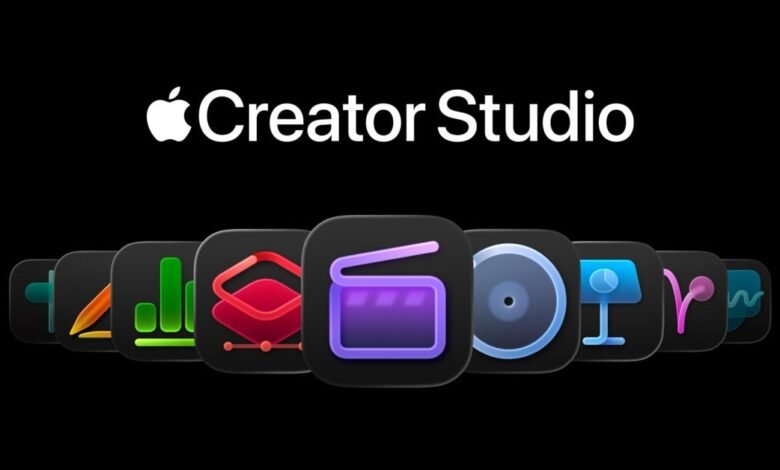
▼ Summary
– Apple Creative Studio offers a valuable suite of professional applications for a subscription, but its new app icons have received a mixed reaction online.
– Users will not be forced to use these new icons, as they can install both the standalone purchase versions and the Apple Creative Studio versions of apps like Final Cut Pro and Logic Pro.
– The new icon set specifically identifies the subscription-based Apple Creative Studio versions to distinguish them from the one-time purchase versions.
– While Apple is reserving some AI features for the subscription versions, it will continue to support the standalone app purchases.
– This approach of allowing both versions to coexist on a Mac is a new and interesting strategy for Apple’s professional software.
Apple’s new Creative Studio subscription offers a powerful collection of professional applications at a compelling price point. While the suite itself represents significant value, the redesigned app icons unveiled this week have sparked considerable discussion. Importantly, these new icons are not a universal change forced on all users. According to an official support document, individuals will have the option to install both the traditional, standalone versions of apps like Final Cut Pro and Logic Pro, alongside the subscription-based Creative Studio editions. This approach provides flexibility, allowing users to choose between a one-time purchase and the ongoing subscription model based on their needs.
The distinct icon set serves a specific purpose: it acts as a visual indicator to differentiate the Apple Creative Studio versions from the standalone purchases on a user’s system. This is particularly useful for professionals who may need to maintain separate project workflows or simply prefer the classic application icons. Apple is reserving certain advanced AI-powered features exclusively for the subscription versions of its pro apps, a move that incentivizes the studio bundle while continuing to support the traditional, purchased software.
The ability to run dual versions of the same core application, such as having both a purchased copy of Final Cut Pro and the Creative Studio version installed simultaneously, marks a novel strategy for Apple’s Mac software ecosystem. It accommodates a wide range of users, from those who prefer perpetual licenses to those seeking the latest integrated tools and updates through a subscription. The unique icons help prevent confusion, ensuring users can easily identify which version they are launching for any given task. The Apple Creative Studio service is set to launch soon, providing creatives with a new way to access this elite software collection.
(Source: 9to5Mac)


