Customize ChatGPT’s Tone: Choose How Nice It Is
▼ Summary
– OpenAI is introducing a new feature allowing users to adjust ChatGPT’s personality traits, specifically its warmth and enthusiasm.
– Users can also customize how frequently the AI uses stylistic elements like emojis, headers, and lists in its responses.
– These personalization settings are accessible within the app’s menu under the Personalization and Add Characteristics options.
– A separate update enables direct text editing and formatting within the ChatGPT chat interface for composing emails.
– Users can now highlight specific text sections and instruct ChatGPT to modify them directly, improving the editing workflow.
The ability to fine-tune the personality of your AI assistant is now a reality, as OpenAI introduces new controls for adjusting ChatGPT’s conversational tone. This latest update provides users with a simple slider to increase or decrease the chatbot’s inherent warmth and enthusiasm, moving beyond a one-size-fits-all response style. Whether you prefer a more reserved, factual companion or an upbeat, encouraging partner, these settings put the choice directly in your hands.
Accessing these features is straightforward. Within the ChatGPT app, users can tap the menu in the top left corner, select their profile, and navigate to Personalization and then Add Characteristics. Here, alongside the new tone sliders, you’ll find options to influence ChatGPT’s formatting habits. You can specify how frequently it employs emojis, headers, and bulleted lists in its replies. For a more holistic personality shift, you can also select from preset styles like quirky, professional, friendly, or even cynical, fundamentally shaping how the AI presents information and engages in dialogue.
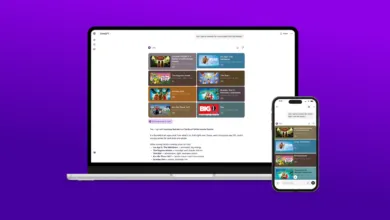
This push for personalization extends to practical tasks as well. A separate but related update significantly refines the email drafting experience within ChatGPT. Instead of describing edits in a follow-up prompt, you can now highlight text directly in the chat and instruct the AI to revise it. This allows for precise commands like “make this paragraph more concise” or “rephrase this sentence to sound more formal” applied to the exact text you’ve selected. Furthermore, you can update and format email text inline, creating a more seamless and intuitive editing workflow that mimics working in a standard document editor.
These enhancements represent a meaningful step toward more natural and controllable human-AI interaction. By allowing users to calibrate both the personality and the structural output of ChatGPT, OpenAI is acknowledging that effective communication depends on context and personal preference. The direct text-editing features, meanwhile, reduce friction for common creative and professional tasks, making the tool feel less like issuing commands to a black box and more like collaborating with a versatile assistant. Together, these updates empower users to mold the AI’s behavior to better suit their individual needs and working styles.
(Source: The Verge)