Beyond ChatGPT: My AI Toolkit for Research, Coding & More
▼ Summary
– Different AI models are specialized for distinct tasks, such as Gemini for creating audio explainers, GPT models for keyword generation, and Claude Opus for agentic coding.
– Many software applications add separate subscription fees for integrated AI features, creating an additional cost layer on top of existing AI chatbot plans.
– The specific version of an AI model is less important than choosing the right tool for your workflow, as models are frequently updated and applications often select them automatically.
– The author uses a variety of AI models for specific purposes, including Parakeet for on-device speech recognition and GPT-5.1 for deep research and general data analysis.
– Some major AI tools like Perplexity, Microsoft Copilot, and Grok are not used by the author due to personal preference, limited utility for his needs, or perceived inconsistency.
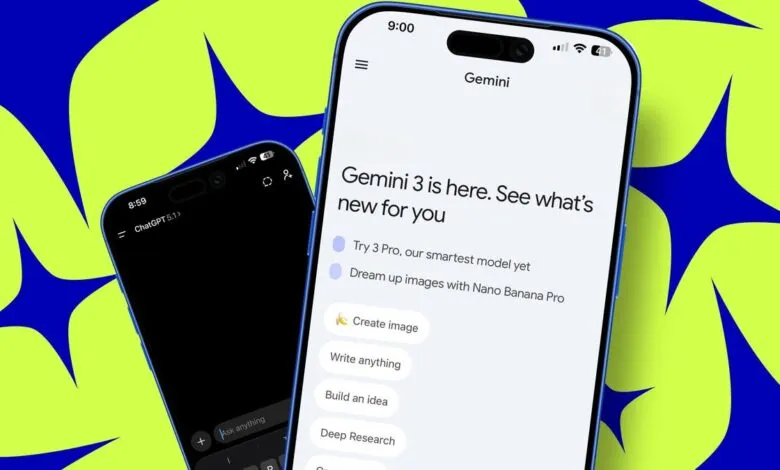
Navigating the world of generative AI can feel overwhelming with the constant stream of new models like GPT-5.1, Opus 4.5, and Gemini 3. The key isn’t to memorize every technical specification, but to learn which tools excel at specific jobs. Choosing the right AI model for a task is far more important than obsessing over version numbers. This approach saves time and yields better results, whether you’re coding, researching, or creating content. The landscape shifts quickly, so flexibility and a focus on practical application are essential.
It helps to distinguish between the AI model itself and the application you use. The model is the engine doing the intelligent processing, while the application is the interface. Different apps can use different underlying engines, much like cars use different brands of motors. For instance, asking two different image generators to create the same diagram can produce wildly different results. One might deliver a clean, functional chart, while another might interpret the request creatively, producing something visually striking but inaccurate for the task. This illustrates that specialized models often outperform general-purpose ones for specific functions like creating technical diagrams.
A significant consideration is cost. Many software applications now layer their own AI subscription fees on top of models you might already pay for elsewhere. While some apps let you connect an existing paid AI plan, many vendors see this as a separate revenue stream. Your decision should be guided by your actual needs. I typically select the task and the application first; the AI model is usually bundled with that choice.
For creating audio explainers from dense documents, I rely on Google’s NotebookLM. This tool can digest a complex technical paper or press release and produce a spoken summary highlighting the key points. I don’t use the output verbatim, but it provides excellent rapid context for my research. The underlying model is a variant of Google’s Gemini.
When I need to identify keywords for a large archive of articles, I use a self-hosted web archiving tool called Karakeep. It connects to OpenAI’s API to generate automatic tags. This process involved a one-time cost to categorize tens of thousands of articles, with minimal ongoing fees that are well worth the organizational power it provides.
My coding workflow splits into two paths. For quick questions about code snippets or error messages, ChatGPT Plus with the latest GPT model is my reliable choice. For more complex, agentic coding, where the AI integrates with my development environment to undertake multi-step projects, I turn to specialized tools. OpenAI’s Codex and Anthropic’s Claude Code have been instrumental, helping me build everything from WordPress plugins to a sophisticated iPhone app in remarkably short timeframes. The investment in these specialized coding models has paid off in saved development hours.
I also use AI within Notion for database management and research. Despite some frustrations with its pricing, Notion AI can scan my draft library to summarize past work and transform unstructured lists into categorized databases. The app itself decides whether to use Claude, ChatGPT, or Gemini behind the scenes based on cost and capability for each query.
For speech recognition, I’ve moved beyond basic dictation to a tool called Paraspeech. Its appeal lies in a one-time purchase price because it uses the Nvidia Parakeet model that runs locally on my machine. This means my audio never leaves my computer, combining privacy with a attractive, non-subscription pricing model.
The most impressive demonstrations of AI’s potential have come from deep research tasks. Using a high-tier subscription, I’ve had an AI analyze over 12,000 lines of source code to automatically generate comprehensive product briefing documents for marketing. Feeding those documents into another tool then produced voice-annotated slide shows. This combination saved an estimated 60 to 80 hours of product management work.
For everyday analysis, SEO keyword suggestions, and general queries, my go-to remains the ChatGPT Plus subscription. Its auto mode, which selects the appropriate processing level, handles everything from data crunching in spreadsheets to brainstorming. While it has occasional quirks, its broad utility is unmatched for now, though the newly released Gemini 3 shows promising potential to become a strong competitor.
There are notable tools I don’t currently use. Perplexity hasn’t resonated with me despite its search reputation. Copilot, while capable, is deeply integrated with the Microsoft ecosystem I no longer use daily. Grok showed flashes of ability in tests but hasn’t matched the power of the dedicated coding agents. I also haven’t deeply explored AI-generated video beyond initial evaluations, though that is likely to change.
A glaring absence in my toolkit is any major offering from Apple. Their current AI integrations, like in Xcode, have been unstable in my experience. For a company of its stature, this lack of a compelling AI presence is a significant gap that needs urgent attention.
Your experience will shape your own toolkit. Do you switch models based on the task, or do you have a single favorite? Have you discovered clear winners for images, writing, or data analysis? The best approach is to experiment and find what streamlines your unique workflow.
(Source: ZDNET)