Asus ProArt P16 Review: Fastest Windows Laptop Tested
▼ Summary
– The laptop delivers exceptional performance, breaking records on business applications and excelling at graphics-intensive, gaming, and AI tasks.
– Performance significantly decreases when not connected to a full-power charger, requiring it for optimal operation.
– Despite its power, the device is relatively lightweight at 4.3 pounds and thin, though it can get warm and loud under heavy use.
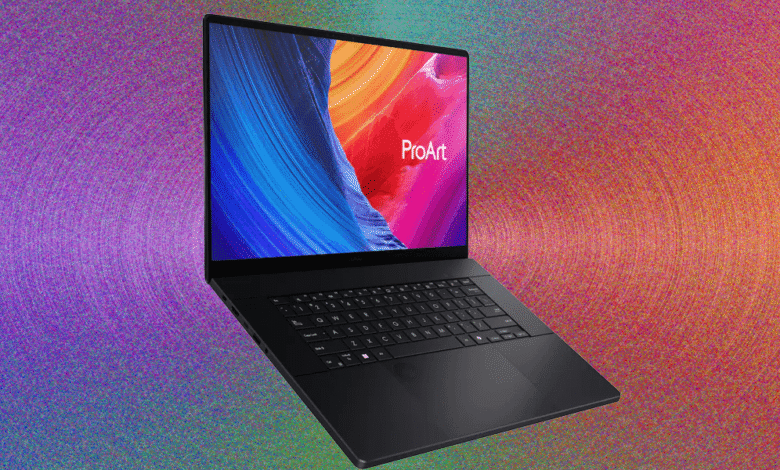
– It features a modern, understated matte black design with a stealth hinge, smudge-resistant paint, and a well-designed keyboard with excellent backlighting.
– The touchpad includes an embedded Asus DialPad that provides context-sensitive controls for supported apps, particularly in photo and video editing.
The Asus ProArt P16 establishes a new benchmark for performance among Windows laptops, delivering record-breaking speed in business applications and truly exceptional power for graphics-intensive work, gaming, and AI-driven tasks. This level of capability sets a remarkably high standard, though it’s important to note that peak performance is only achievable when the laptop is plugged into its full-power charger.
Despite housing such formidable hardware, the device maintains a surprisingly portable form factor. Asus has engineered a machine that weighs just 4.3 pounds with a maximum thickness of 22 millimeters, avoiding the bulky chassis typically associated with high-performance laptops. Under heavy processing loads, the system does generate noticeable warmth and fan noise. While the heat remains manageable, the acoustic output can become quite pronounced during intensive sessions.
Aesthetics match the performance, featuring a sophisticated matte black finish throughout. A discreet “stealth hinge” integrates seamlessly into the rear panel, creating a modern and minimalist appearance. The lid bears only a subtle Asus logo in one corner, and the surface coating effectively resists fingerprints and smudges. Opening the laptop reveals a well-designed keyboard with impressive backlighting, though some users might find the half-height arrow keys less ideal than full-sized versions. The absence of a numeric keypad is noticeable, though its inclusion would likely have compromised the sleek design.
The touchpad merits special attention for its innovative features. Beyond offering a generously sized and responsive tracking surface, it incorporates the unique Asus DialPad in the upper-left corner. This embedded rotary control provides context-sensitive functionality within supported applications, primarily photo and video editing software, allowing precise parameter adjustments through intuitive circular motions.
(Source: Wired)