Google’s Next Android Tablet Upgrade Supercharges Multitasking
▼ Summary
– Google is developing a new multitasking feature allowing users to launch any Android app in a floating bubble by dragging its icon to the screen’s bottom corners.
– This feature is indicated by new code and tutorial strings in the latest Android Canary release, suggesting it will be integrated with the taskbar for easier access.
– Unlike the previous “bubble anything” concept, this version uses a drag gesture similar to existing tablet multitasking actions, making it more intuitive.
– Google has not officially released the feature yet, but evidence shows it is actively being refined rather than scrapped, with a potential launch in Android 16’s QPR3 next March.
– The enhancement aims to improve Android’s multitasking on tablets and PCs, addressing current limitations and expanding bubble functionality beyond messaging apps.
Google’s upcoming Android tablet upgrade promises to significantly enhance multitasking by introducing a more intuitive way to manage multiple applications simultaneously. This development marks a crucial step forward for Android tablets, which have historically lagged behind traditional PCs in their ability to handle several tasks at once. Recent code discoveries suggest a powerful new feature is in the works, allowing users to launch any app in a floating bubble window through a simple drag gesture.
For years, Google has been refining Android to better support tablets and other large-screen devices. The operating system has gained a taskbar, desktop-style windowing, better drag-and-drop functionality, and improved app scaling. Still, the multitasking experience has remained a notable weakness, preventing many users from considering Android tablets as true laptop replacements.
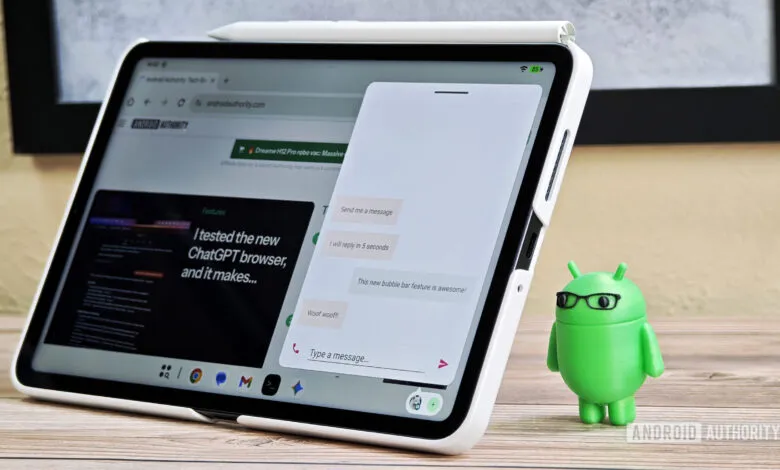
Fortunately, internal work at Google indicates that a solution is on the horizon. The company is actively developing enhancements that will benefit both future Android-powered computers and current tablets. One particularly exciting capability being tested is a system that lets you open any Android application in a resizable, movable bubble. This would transform a feature currently limited to a few messaging apps into a universal multitasking tool.
A similar concept, dubbed “bubble anything,” was initially reported about a year ago. At that time, it showed potential to revolutionize how users interact with multiple apps, especially when paired with the tablet’s bubble bar. This combination would enable seamless multitasking with two, three, or even more applications open at the same time, a boon for smaller tablets with limited screen real estate.
Although that specific iteration never reached the public, new evidence confirms the project wasn’t abandoned. Instead, Google appears to have refined the idea to better integrate with the existing tablet interface. Fresh code in the latest Android Canary build points to a new method for creating floating bubbles: dragging an app icon from the taskbar to the bottom corners of the display.
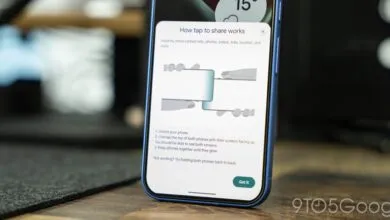
Strings found within the Pixel Launcher, which manages both the home screen and taskbar, hint at an upcoming tutorial. This educational prompt will inform users they can “drag to the bottom corners to make it float.” An accompanying animation will demonstrate the process, showing an app icon being dragged from the taskbar and released in a corner to open in a bubble.
While these findings don’t provide absolute confirmation, they strongly suggest that Google plans to extend bubble support beyond just messaging apps. Since any application can already be placed on the taskbar, it would be illogical to restrict the new drag gesture to a limited selection. This new approach is more consistent with existing tablet multitasking conventions, mirroring the familiar drag-and-drop actions used for split-screen mode.
There is no guarantee this feature will make it into a final release, but the creation of a user tutorial is a positive indicator. Companies typically don’t develop instructional materials for capabilities they don’t intend to ship. As for timing, a logical launch window could be the third quarterly platform release for Android 16 next March, given Google’s history of introducing major tablet enhancements in these updates.
This potential upgrade represents a meaningful stride toward closing the functionality gap between Android tablets and traditional computers. By making advanced multitasking more accessible and fluid, Google could finally deliver the productivity experience tablet users have been waiting for.
(Source: Android Authority)