Edit PDFs and Create Presentations Instantly with Adobe’s New AI
▼ Summary
– Adobe has introduced new AI features for Acrobat that can generate presentation slideshows and create podcasts from PDFs and other documents.
– The presentation tool allows users to specify length and tone, uses Adobe Express for design, and enables collaborative editing and review.
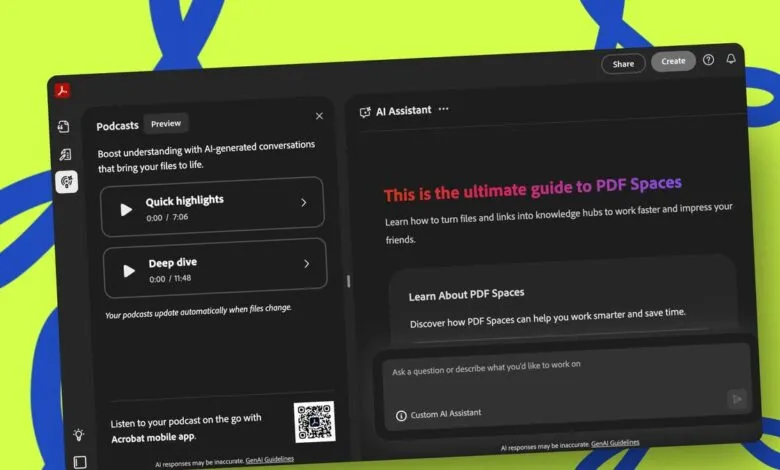
– The podcast feature can summarize collections of documents into an audio format for professional or personal listening.
– An AI-powered editor in Acrobat now allows users to modify PDFs using natural language prompts for tasks like editing text or removing pages.
– Acrobat Studio bundles Pro, AI Assistant, and Express Premium tools for $24.99/month, facilitating collaboration on documents through PDF Spaces.
Adobe has introduced powerful new artificial intelligence features designed to transform how you interact with PDF documents. These tools go beyond simple editing, enabling users to generate dynamic presentations and even audio content directly from their files. This move integrates AI deeply into the creative and productivity workflow, offering a significant leap in document utility.
One of the standout new capabilities allows Acrobat to generate a complete slideshow presentation from a PDF. The process begins with the AI analyzing your document to create a structured outline. It then asks if you’d like to proceed with building a full presentation, complete with designed slides. You can specify the desired length and tone, and the tool leverages Adobe Express to provide a selection of visual themes. Once a theme is chosen, a draft presentation is generated almost instantly.
Editing this new presentation is seamless. Without leaving Acrobat, you can use built-in tools and Express’s AI to swap images, adjust fonts, rewrite text blocks, and incorporate videos. The platform also supports collaboration, allowing you to invite others to review and suggest edits. For those who prefer, presentations can be created directly within Adobe Express, bypassing Acrobat entirely. A practical application could involve a business owner compiling financial statements and product sheets into a PDF Space; the AI would analyze all materials to craft a client pitch, even highlighting the potential client’s challenges and proposed solutions.
Another innovative feature is the ability to transform PDFs into an AI-generated podcast. This is ideal for digesting lengthy reports or collections of documents without reading them. Users can upload a single PDF or a batch of files—including transcripts and reports—into a PDF Space. By asking the AI to summarize the content into a podcast format, you can listen to synthesized hosts discuss the key points anytime, whether during a commute or a workout. While designed for professional summaries, this feature also works for personal interests, turning PDFs on topics like gardening or current events into engaging audio content.
A newly integrated AI-powered editor further simplifies PDF modification. Instead of manual editing, you can instruct the AI using plain language. Tasks like removing pages, altering text, replacing images, or adding signatures become a matter of typing a simple prompt. If you encounter any issues, a Help Panel provides guidance and troubleshooting support through a conversational chat interface.
Collaboration is enhanced through PDF Spaces, which now includes tools for team-based work. This feature acts as a centralized hub where you can gather multiple PDFs and related files. You can then invite colleagues to contribute by adding documents, inserting notes, or leaving comments directly within the shared space.
All these features are accessible through Acrobat Studio, a unified subscription that bundles Acrobat Pro, the AI Assistant, and Adobe Express Premium. Launched last year, Studio provides a comprehensive environment for managing, editing, and collaborating on documents and PDFs with others.
(Source: ZDNET)