Adobe Acrobat AI Converts PDFs to Podcasts
▼ Summary
– Adobe has added new generative AI features to Acrobat Studio for editing PDFs and creating audio/visual summaries.
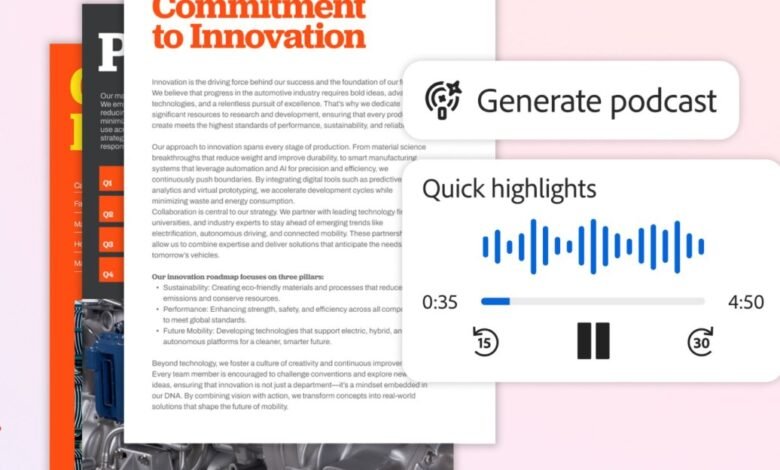
– A new Generate Podcast feature creates audio summaries of documents using a Microsoft GPT model and a Google voice model.
– A Generate Presentation feature can automatically create pitch decks from documents using Adobe Express design tools.
– The AI assistant now allows users to edit PDFs via chat prompts, such as adding signatures or removing content.
– These features are part of Acrobat Studio, a distinct AI workspace, and leverage third-party models that may change in the future.
Adobe has introduced a suite of generative AI tools within its Acrobat platform, designed to transform how users interact with PDF documents. These new capabilities, housed in the Acrobat Studio workspace, move far beyond simple reading and annotation. They empower users to quickly summarize, edit, and repurpose their documents through intuitive chat-based commands and automated content generation, making lengthy information more accessible and actionable.
A standout feature is Generate Podcast, which converts documents into audio summaries. This tool can process a wide variety of materials, from dense reports and meeting transcripts to study guides and project notes. It creates a podcast-style narration, allowing users to absorb key information hands-free during a commute or while multitasking. Currently, the feature utilizes a combination of a Microsoft model for transcription and a Google model for voice synthesis, though Adobe notes the underlying technology may evolve. This audio-focused approach mirrors functionality seen in research tools like Google’s NotebookLM but brings it directly into the familiar environment of a leading document management suite.
For those who prefer visual summaries, the Generate Presentation feature automates the creation of pitch decks. Users can instruct the AI assistant to extract specific insights or data points from source documents. The system then leverages Adobe Express to produce a selection of professionally designed slide layouts. You can choose a design to automate the entire deck creation process or manually edit any element of the generated presentation to fit your exact needs, saving significant time on initial formatting and content organization.
Furthermore, Acrobat’s AI assistant now supports comprehensive PDF editing through simple chat prompts. Following a similar update to Adobe Express, users can describe the changes they want to make in natural language. This includes tasks like adding or removing signatures, deleting entire pages, excising specific text blocks or images, and replacing words or phrases throughout the document. This chat-based editing streamlines workflows that previously required navigating complex menus and tools, making document refinement faster and more intuitive.
These updates position Acrobat Studio as a dynamic, AI-powered workspace for document productivity. By integrating audio summarization, automated presentation building, and conversational editing, Adobe is expanding the utility of the PDF from a static digital paper into an interactive and adaptable information asset.
(Source: The Verge)